Deutsch · English
// NEONPLAN 3D · MANUAL
NeonPlan 3D – Manual
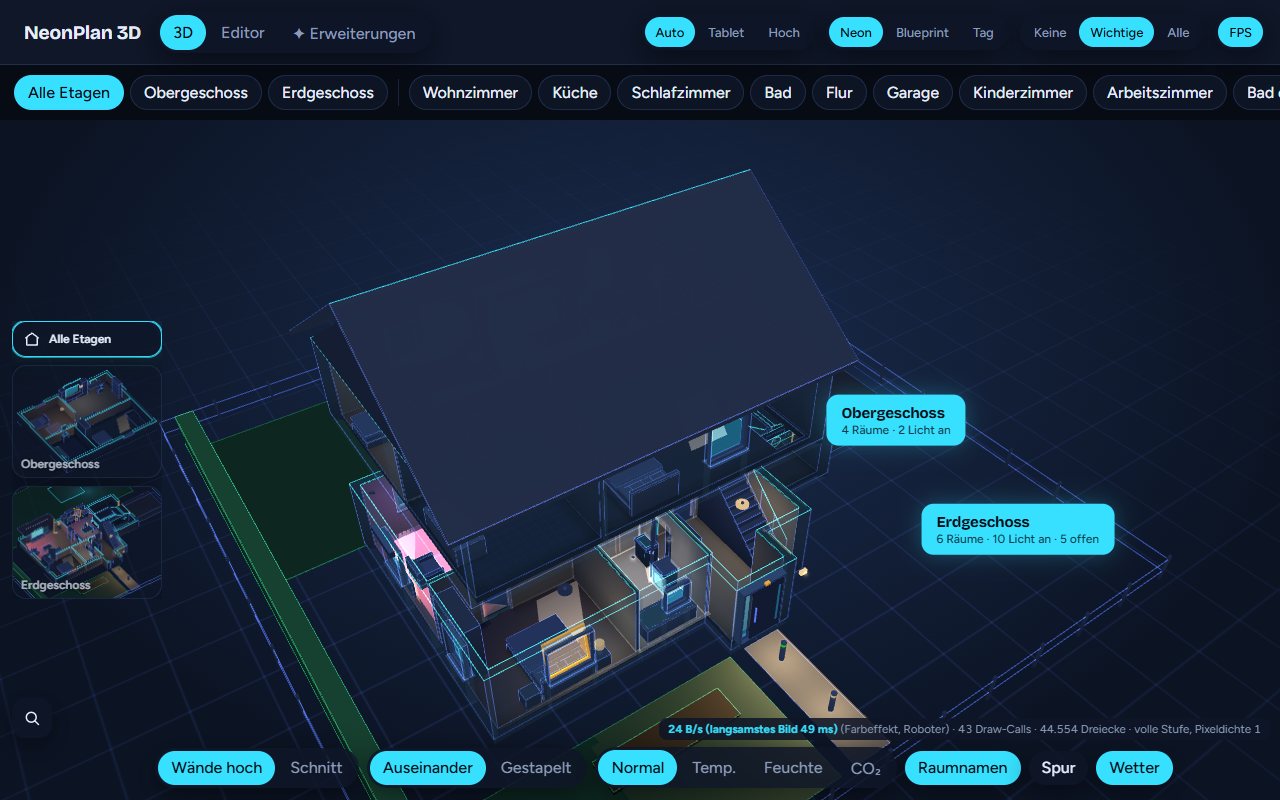
NeonPlan 3D draws your home right inside Home Assistant and shows it as a 3D model in a neon look. Lights glow in their colours, blinds move, windows tilt, doors swing open, cameras look into the room and the TV shows what is playing. Everything runs locally in Home Assistant, without a cloud or external programs, and it is built for wall tablets.
This manual describes every feature of version 1.0. The pictures come from the demo with invented data. The app follows the language of your Home Assistant user; the labels below are the English ones.
Contents
- 1InstallationHome Assistant 2025.1 or newer. A browser with WebGL. That is every current browser, the Home Assistant app and Amazon Fire tablets. An administrator to edit.…
- 2Your first 3D plan in ten minutesOpen NeonPlan 3D in the sidebar and switch to Editor at the top. Choose Add floor on the right. If you have floors in Home Assistant, NeonPlan 3D offers them…
- 3The interface at a glanceThere are three tabs at the top: 3D, Editor and ✦ Extensions.
- 4The editorThe editor has the floor plan in the middle, the toolbar at the top and the sidebar on the right. The sidebar always shows what is selected: the floor, a…
- 5The 3D viewThe 3D view has three levels: The whole house with a label per floor: rooms, lights on, open windows. One floor: The floors above fly away, the ones below…
- 6Pro add-onsPro add-ons are paid extra features, sold singly in the shop. Without an add-on, the switches show a 🔒 and a hint leads to the shop. How to install them is in…
- 7Extensions, shop and furniture packsThe ✦ Extensions tab gathers everything you can add to NeonPlan 3D.
- 8The dashboard cardThe card custom:neonplan3d-card brings the 3D view into any dashboard. It loads automatically.
- 9NeonPlan 3D on a wall tabletNeonPlan 3D is built for wall tablets such as the Amazon Fire: No work while idle. If nothing changes, the view draws not a single frame. The FPS display then…
- 10Backup and movingUnder Backup in the editor: Restore points are kept at most every 10 minutes while you edit, the last 20 stay. Restore brings back a state, the current one is…
- 11Data and privacyThe plan, pictures and packs are stored in Home Assistant under .storage. None of it leaves your installation. NeonPlan 3D only connects to the internet if…
- 12FAQ and troubleshooting"Restart needed" appears at the top. After an update the old version still runs in the background. Restart Home Assistant.