Neu für Supporter: NeonPlan Print (Beta) – dein Haus als 3D-Druck, Etagen zum Abheben. Kostenlos in der Beta bis 30.11.2026, nur mit dem Supporter-Pass. Ansehen · Zum Pass →New for supporters: NeonPlan Print (beta) – your house as a 3D print, floors you lift off. Free during the beta until 30 Nov 2026, Supporter Pass only. Take a look · Get the Pass →
KundenkontoAccountTikTok
// NEONPLAN 3D BY MASTERSHORT
NEW IN 3.1 · FREE FOR EVERYONE

Neon was just the beginning.

Your home in every style.

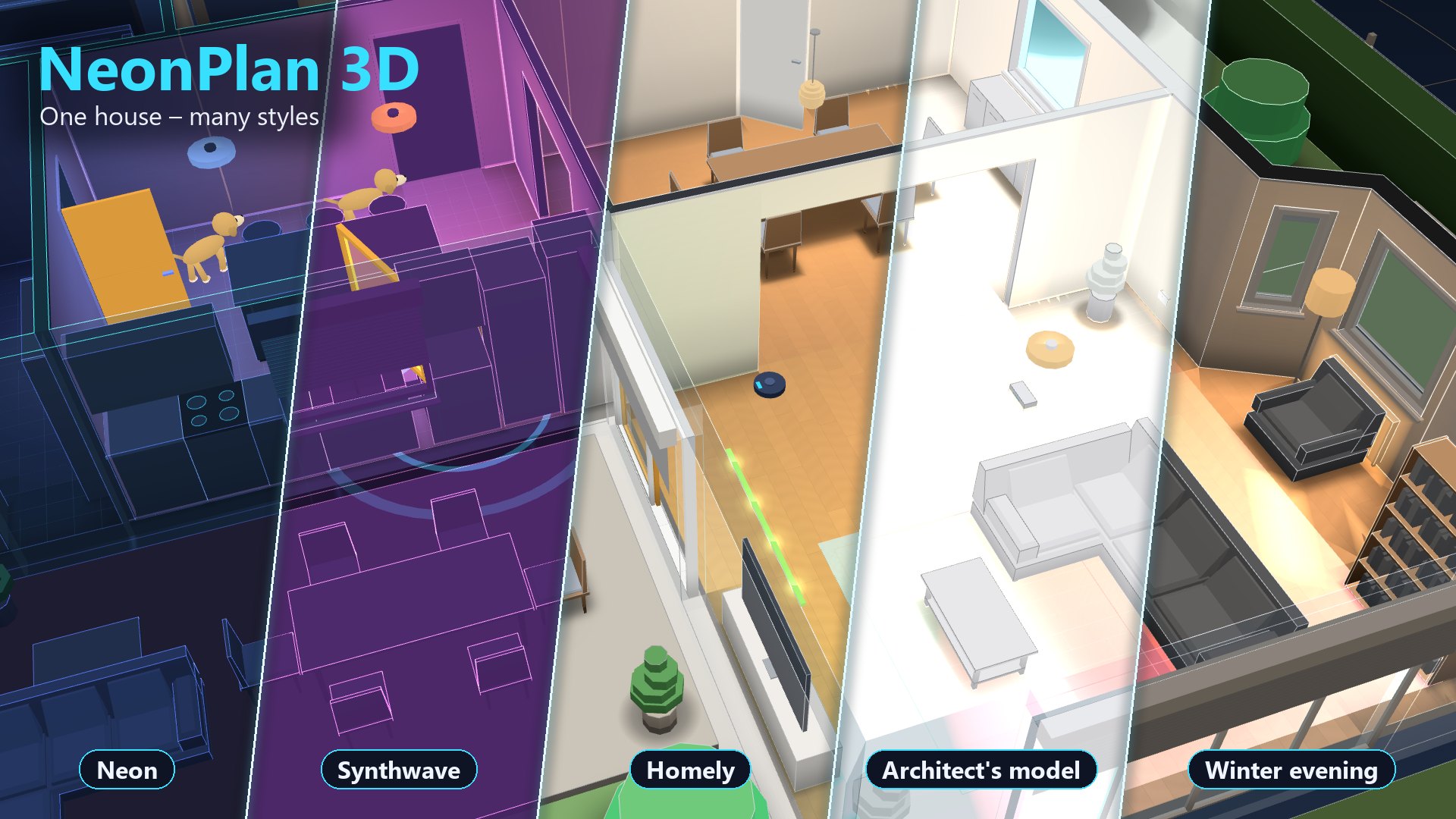
Homely with wooden floors and your own wall colours, Synthwave, Architect’s model, Winter evening – or a style you build yourself. By time of day, by voice or by automation. And it still runs on old wall tablets.

🎨 How styles work
One house – many styles

Dein Zuhause in 3D – live in Home AssistantYour home in 3D – live in Home Assistant

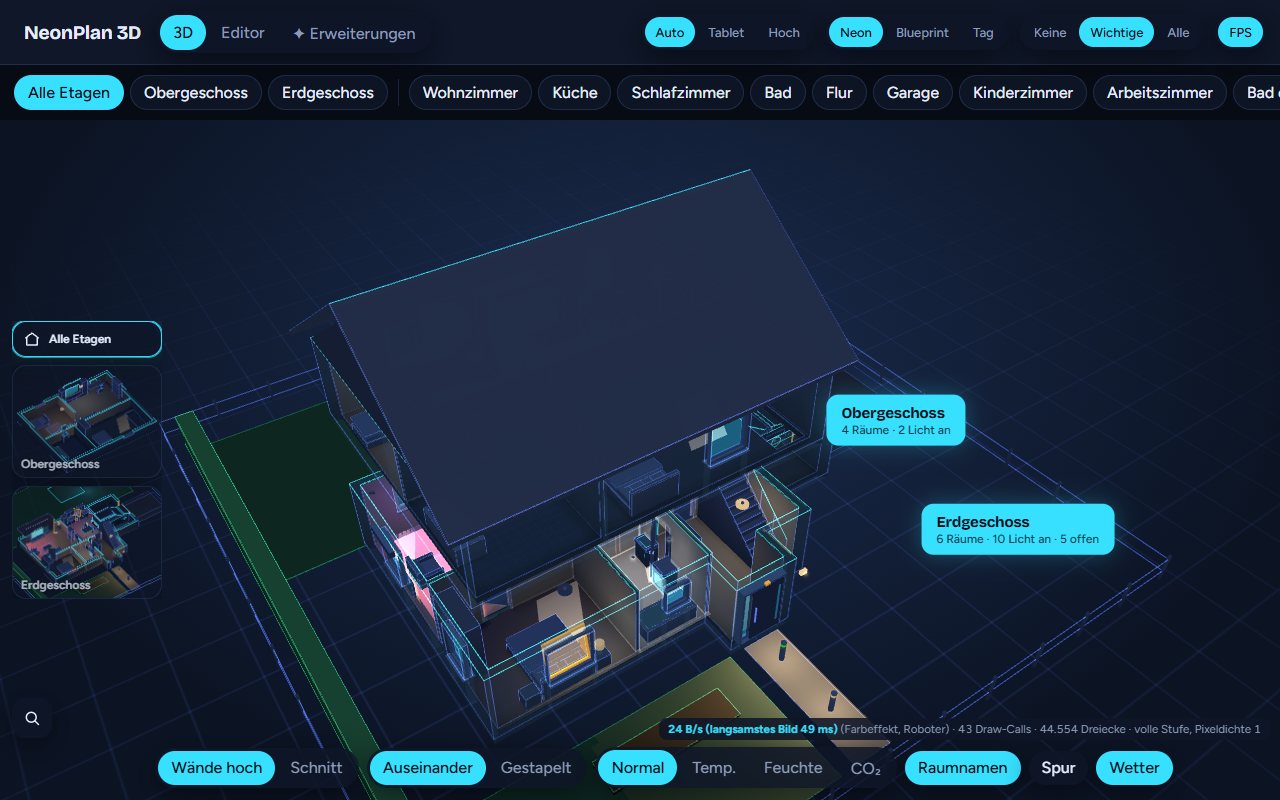
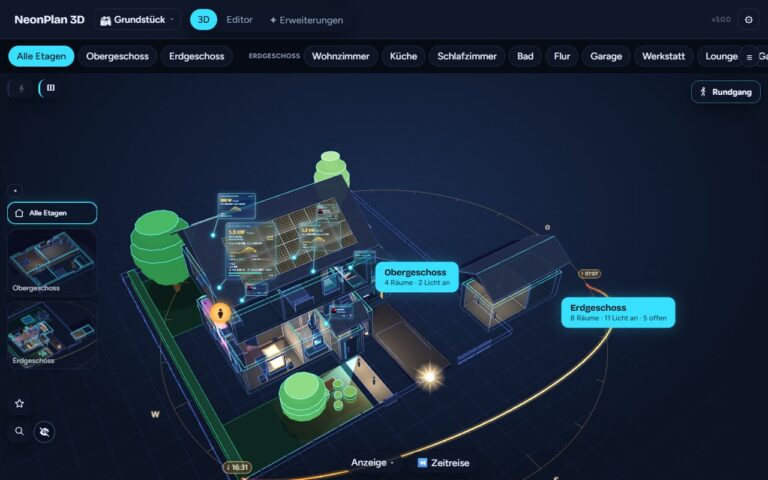
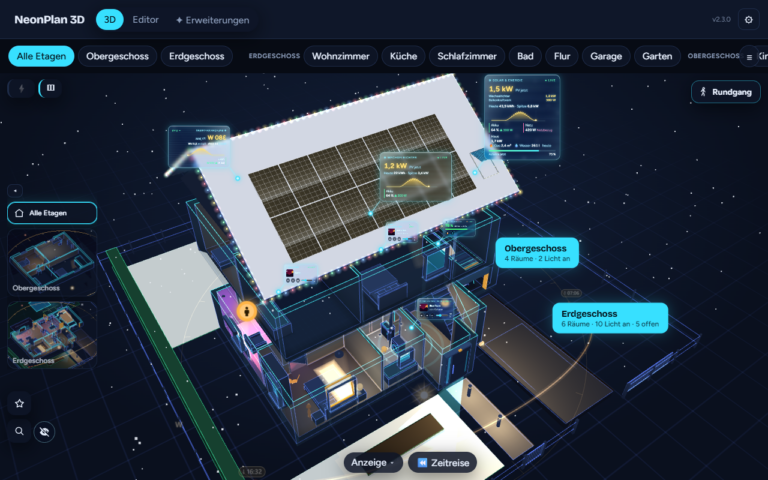
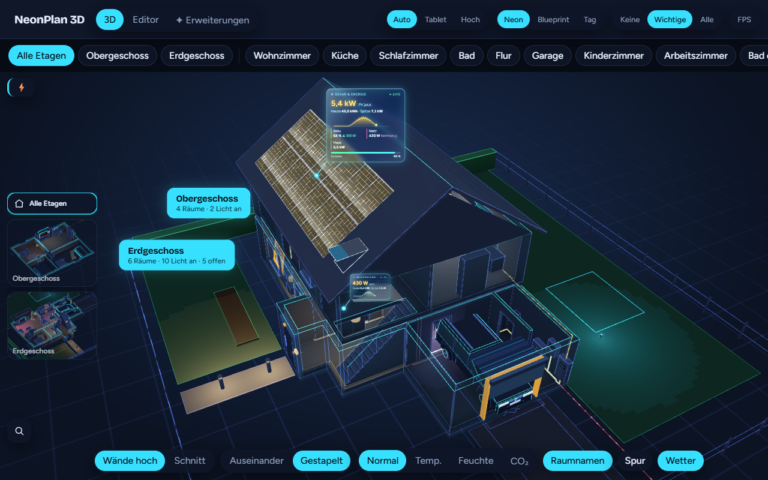
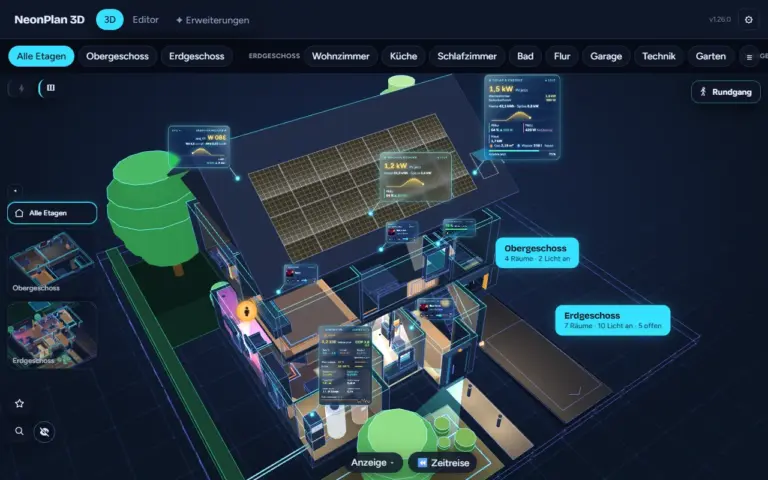
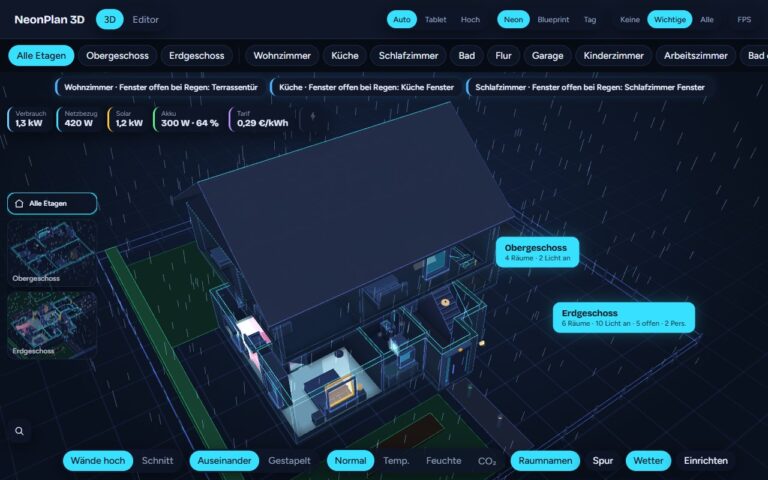
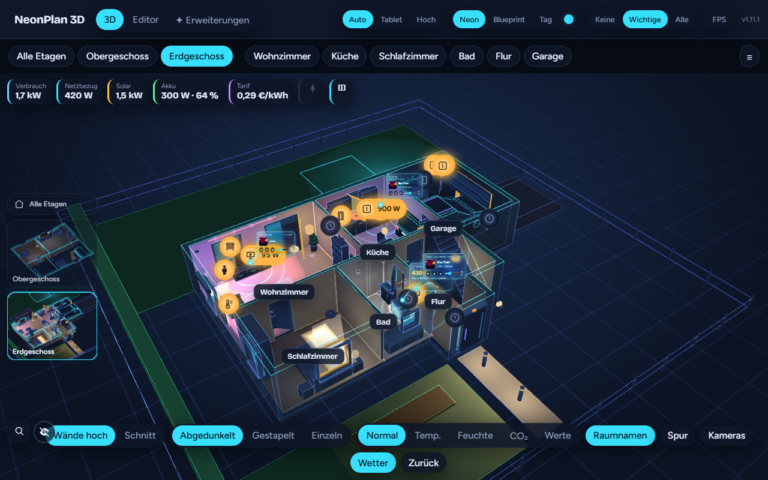
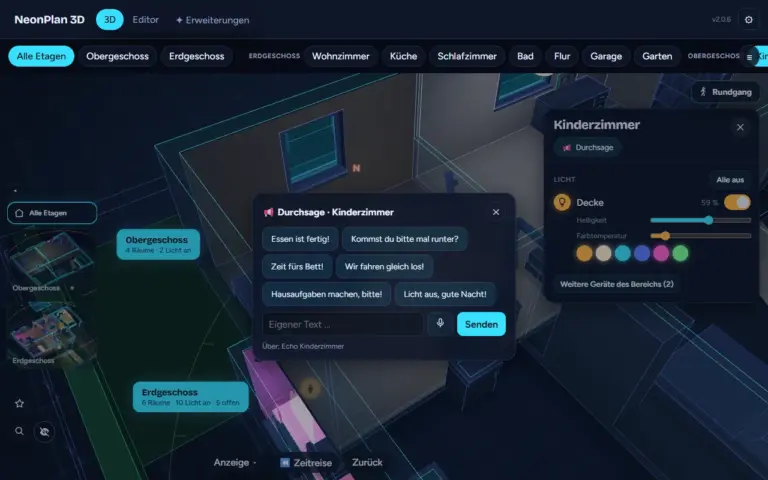
NeonPlan 3D ist eine kostenlose Open-Source-Integration für Home Assistant. Du zeichnest deinen Grundriss direkt im Browser und siehst dein Haus als 3D-Modell, das live zeigt, was zu Hause passiert. Lichter, Rollläden und Szenen bedienst du direkt im Modell.NeonPlan 3D is a free, open-source integration for Home Assistant. You draw your floor plan right in the browser and get a 3D model of your home that shows live what is happening. You control lights, blinds and scenes directly in the model.

▶ Try the online demoRight in your browser, nothing to install – with invented demo data.
NeonPlan 3D – 3D-Ansicht / 3D view
NEWNov 22, 2026

4.0.1: Fixes after 4.0 – including the garage door in the phone list

A fix round after 4.0: the phone's list no longer calls a closed garage door open, a second plan stops flooding the Home Assistant log, and thin things on the wall are as thin as the plan says.

Fixed

  • A closed garage door counted as open in the phone's list "What is going on?", and an open one did not: its reading was taken the wrong way round (#1261, #1276).
  • A view of a second plan flooded the Home Assistant log ("invalid_format" at `view.plan`), and that screen got no announcements or voice answers (#1242).
  • Socket, light switch and sensors on the wall stood 5 cm out of it in 3D while the plan showed them thin. A socket is its 1.4 cm again, and a sensor can be made thinner by hand (#1236).
Show fixes & community ▾Show less ▴
  • A hedge, fence or pergola on falling ground showed its underside: it now reaches down into the lawn below it (#1262).
  • Cupboard fronts stayed dark blue under a zoom style while the house around them was already homely (#1259).
  • The house's shadow was missing on a dashboard card with a heatmap (#1196).
  • A finger on a label, a pin or a glass card turns the house like a finger on free picture. On an Android phone the browser took such a sideways move for its "back" swipe and the dashboard came up instead (#1248).
  • The mouse turns and zooms over markers too: the wheel over a pin, a room name or a glass card zooms the house, and a drag that begins there turns it (#1271).
  • The way out of full screen stays: the ✕ no longer disappears with the card's other buttons, so a card in full screen cannot trap you.
  • The plan list says why the main plan has no bin instead of leaving the row empty (#1258).
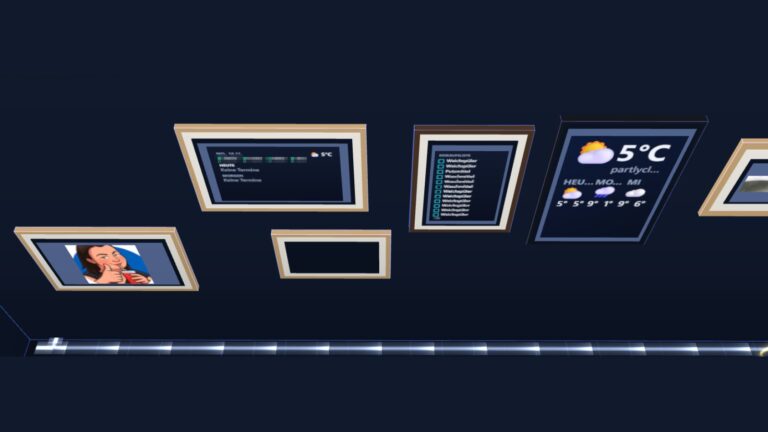
  • Pack "Digital picture frames": the content of a standing frame sat on its back instead of on the front (#1264). The corrected pack comes as an update from the shop.

Thanks to Atomiiik, beta-j, Skeletitor, murilokasper, Habi01H, daene85, erwinsnl, netrunnercs, michaelbell1981, RiotEd, snurre0, 1970lexi, K3ngur and blitzwurst for the reports.

How to update: Settings → System → Updates (Home Assistant before 2026.11: HACS → NeonPlan 3D → ⋮ → Update information → Download), restart Home Assistant, then Ctrl+F5.

Runs on old wall tablets as always. Found a bug? Please open an issue on GitHub.

Found a bug or have a wish? Please report it as a GitHub issue, not on Discord – that way nothing gets lost and we can track it properly.

Release notes on GitHub →

4.0.0Nov 20, 2026

NeonPlan 4.0: your house in your pocket

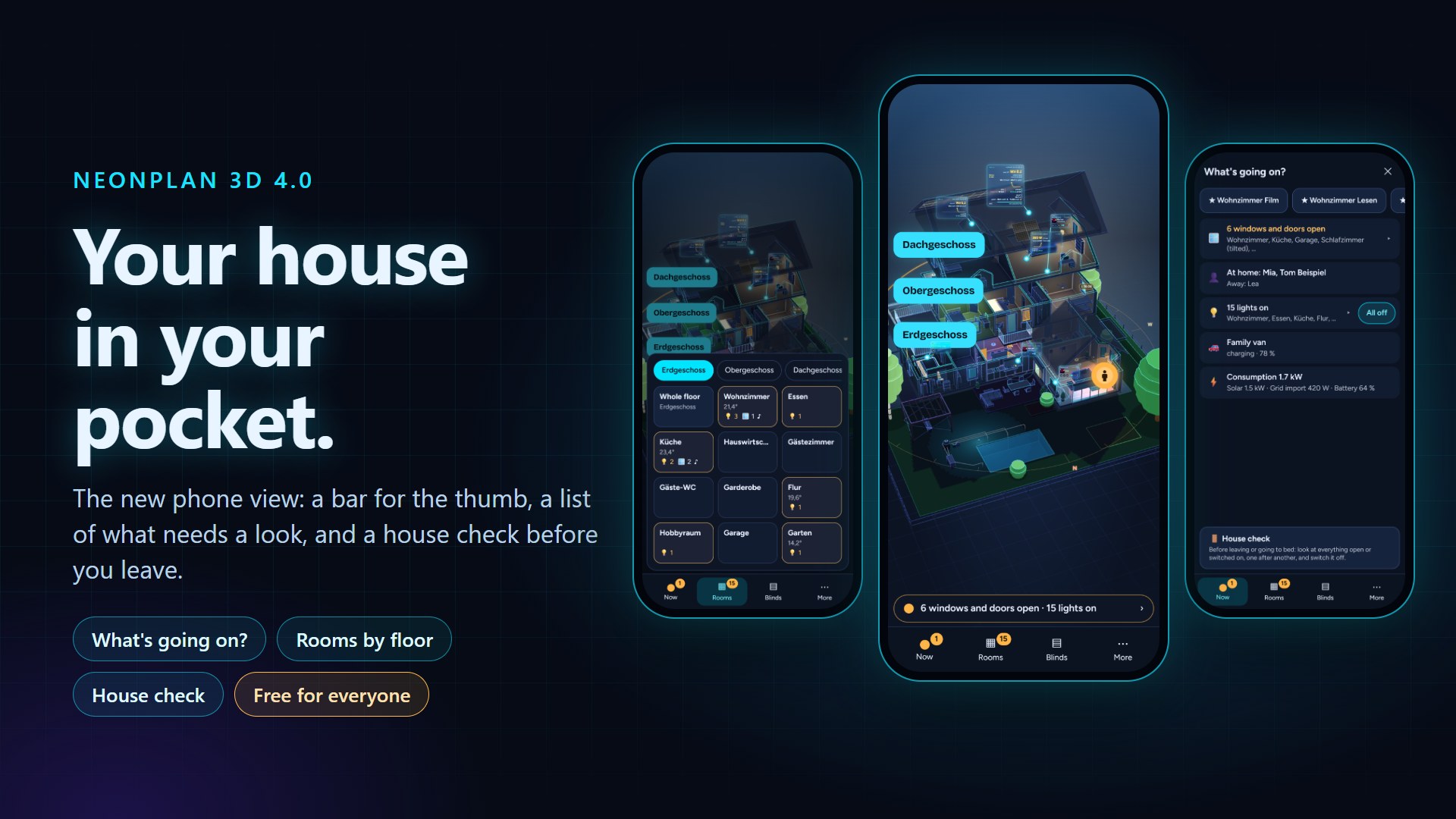
NeonPlan 4.0: your house in your pocket. A view made for the thumb, with a bar at the bottom, a list of what needs a look, and a card editor of its own for phones. Everything in this release is free.

NeonPlan 4.0 on the phone: the rooms by floor, the house with the bar at the bottom, and the list "What's going on?"

New

  • Phone view: the house without header and loose buttons, and a bar at the bottom – Now (what needs a look, with a green, yellow or red dot), the rooms by floor as tiles with temperature, lights, open windows and music, the blinds of the house, and More (search, house check, whole house, room on its own). Your phone asks once whether you want to try it; tablets and PCs stay exactly as they are.
  • "What is going on?": warnings, open windows and doors, unlocked doors, who is at home, the household, lights on, cars and energy – the urgent first, and "All is well" when nothing needs a look. A tap on a line shows the place in the house; "All off" and "Lock" stand right beside their lines.
  • House check: before leaving or going to bed, NeonPlan steps through every open window, unlocked door and lit room and shows each one in the house.
  • Phone view in the dashboard card: `phone: true`. The card form asks what the card is for – a tablet / large screen or a phone – and shows the options that fit.
  • Design the bar yourself: leave the rooms, the blinds or the favourites out, open with the list, and add up to two places of your own – all lamps or all thermostats by floor, a scene or script, or a page of a dashboard.
  • From a notification straight to the place: `/neonplan3d?view=now`, `?room=…` and `?show=<entity>` open NeonPlan at the list, a room or a device. The manual has an example for the Companion app.
  • Card option `surroundings: false`: this card draws the house without the surroundings from the map.
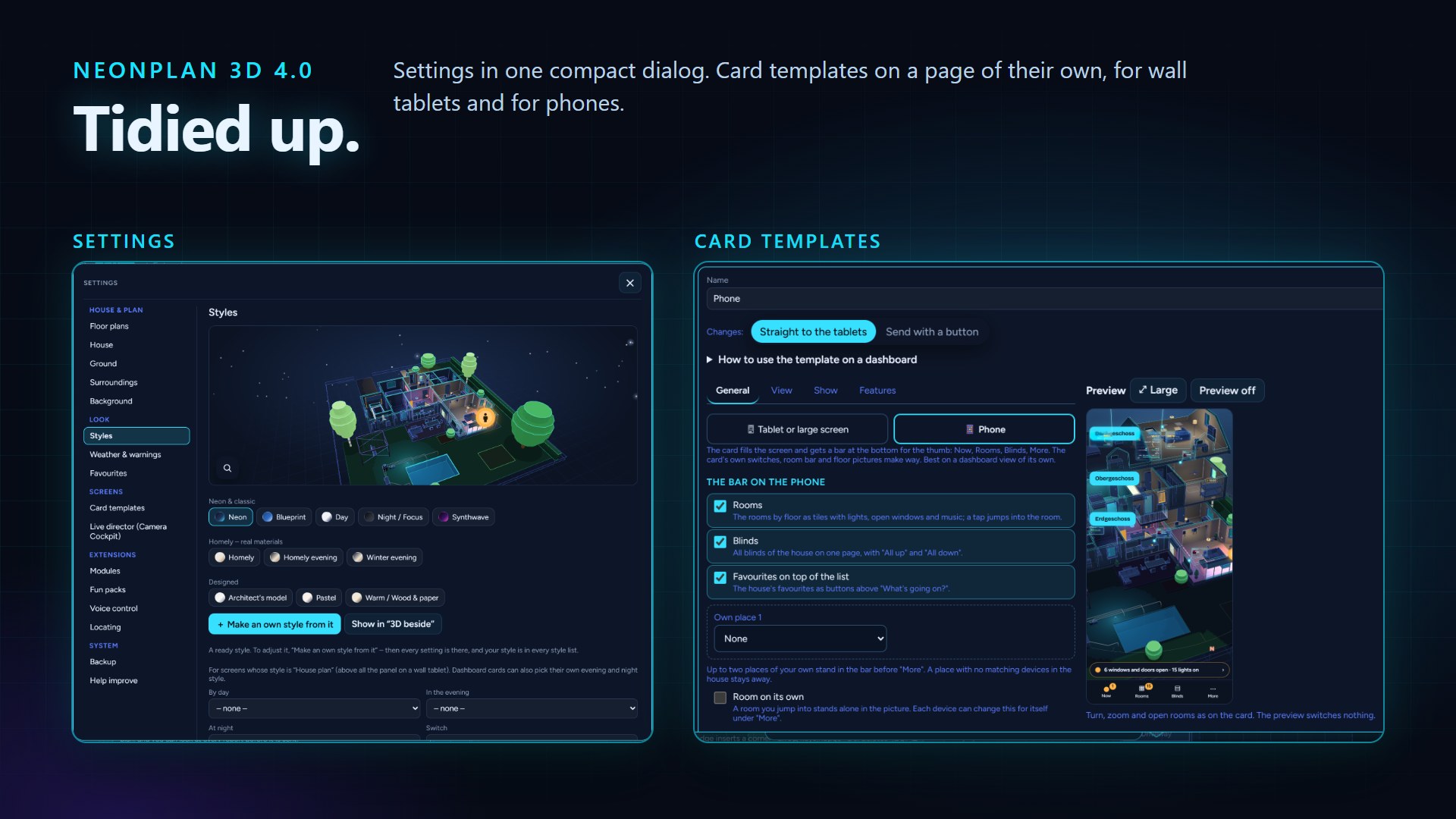
  • Card templates as a management page: your templates on the left by screens and phones, the form in tabs, the preview on the right. The preview turns, zooms and opens rooms like the card and switches nothing.
  • ⚙ Settings tidied up: one dialog instead of a list of sixteen entries – the topics in five groups on the left, the chosen topic on the right. Nothing was removed, every topic's content is unchanged.

The settings in one compact dialog and the card templates page with a phone template

Show more ▾Show less ▴

Fixed

  • Restoring a full backup with many packs failed with "not a plan". A large backup is now restored in pieces (#1213).
  • Furniture and stairs from packs disappearing from the view when loading the packs had failed once (#1229).
  • An LED strip without a height of its own hangs under its room's ceiling (#1226).
  • "Rooms overlap" names the rooms and selects the first one (#1195).
  • A tap on a blind on an Android phone could still move it instead of opening its menu (#1208).
  • Surroundings from the map with a radius of 150 m or more could fail to save ("value must be at most 60"): a way mapped wider than 60 m is now kept at 60 m (#1234).

Thanks to RoyalPineapple, skywalker0403, ManuelHecht, KlausKanda, Atomiiik and TumblerP85D for the reports.

How to update: Settings → System → Updates (Home Assistant before 2026.11: HACS → NeonPlan 3D → ⋮ → Update information → Download), restart Home Assistant, then Ctrl+F5.

Runs on old wall tablets as always. Found a bug? Please open an issue on GitHub.

Found a bug or have a wish? Please report it as a GitHub issue, not on Discord – that way nothing gets lost and we can track it properly.

Release notes on GitHub →

💡 Ideas & votingSuggest features and vote with 👍 – the most wanted ideas come first.
Open ideas board →
New in 3.0 · free for everyone

The biggest update in NeonPlan's history

The wish you have sent most since the start: several floor plans. Here it is – plus two things no other floorplan for Home Assistant can do.

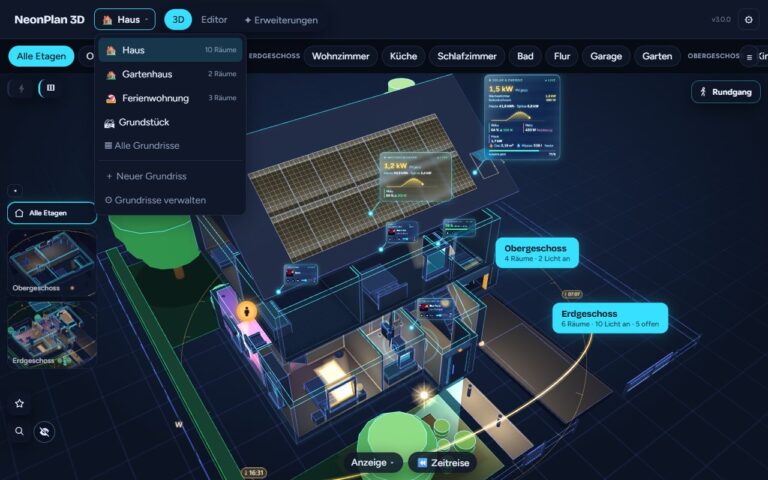
Several houses and flats

House, garage, garden house, granny flat or holiday flat – each with its own floor plan, in one installation. Your plan so far simply stays the first one.

Single rooms on your dashboard

A card just for the kids' room, the guest room or the granny flat – right next to your other cards. Runs even more smoothly on old tablets.

Your whole property in 3D

Every building together, each with its own roof, lights, devices and warnings. Tap a room in the garden house – and you are in it.

🎈 GESCHENK: FUN-PACKSGIFT: FUN PACKS

Gratis für jedes Kundenkonto: Winter & Weihnachten und HaustiereFree with every customer account: Winter & Christmas and Pets

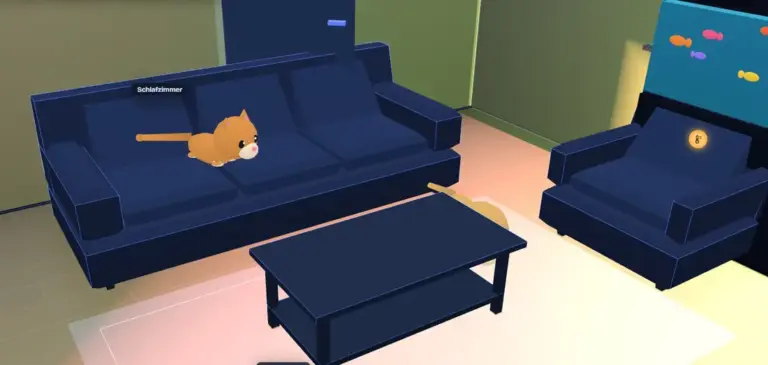
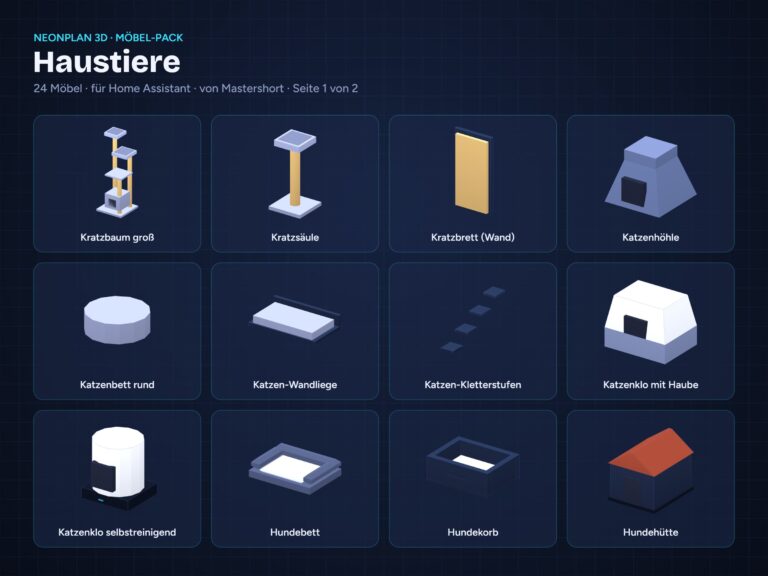
<span class="cyd-de">Fun-Pack Winter & Weihnachten</span><span class="cyd-en">Fun pack Winter & Christmas</span><span class="cyd-de">Fun-Pack Haustiere: Katze, Kaninchen, Hund</span><span class="cyd-en">Fun pack Pets: cat, rabbit, dog</span>

Katze, Kaninchen oder Hund laufen durch dein 3D-Haus – und zu Weihnachten kommen Weihnachtsbaum mit Lichterkette und winterliche Deko ins Haus. Kein Kauf nötig: Konto anlegen, E-Mail bestätigen, Schlüssel in NeonPlan eintragen.A cat, rabbit or dog walks through your 3D house – and for Christmas a tree with fairy lights and wintry decorations move into the house. No purchase needed: create an account, confirm your e-mail, enter the key in NeonPlan.

Haustiere ab NeonPlan 3D 1.17.1, Winter & Weihnachten ab 2.3.0 · danach unter Erweiterungen › 🎈 Fun-PacksPets from NeonPlan 3D 1.17.1, Winter & Christmas from 2.3.0 · then under Extensions › 🎈 Fun packs

Was NeonPlan 3D kannWhat NeonPlan 3D does

Sprich mit deinem HausTalk to your house

„Zeig das Wohnzimmer“ – NeonPlan geht hin. Über Home Assistant Assist, ohne Cloud-Zwang. Neu und noch in Entwicklung.‘Show the living room’ – NeonPlan goes there. Through Home Assistant Assist, no cloud required. New and still in development.

ZeichnenDraw

Räume, Wände, Türen, Fenster und mehrere Etagen, dazu Garten, Terrasse, Einfahrt und Dach – direkt im Browser.Rooms, walls, doors, windows and multiple floors, plus garden, patio, driveway and roof – right in the browser.

Live-3DLive 3D

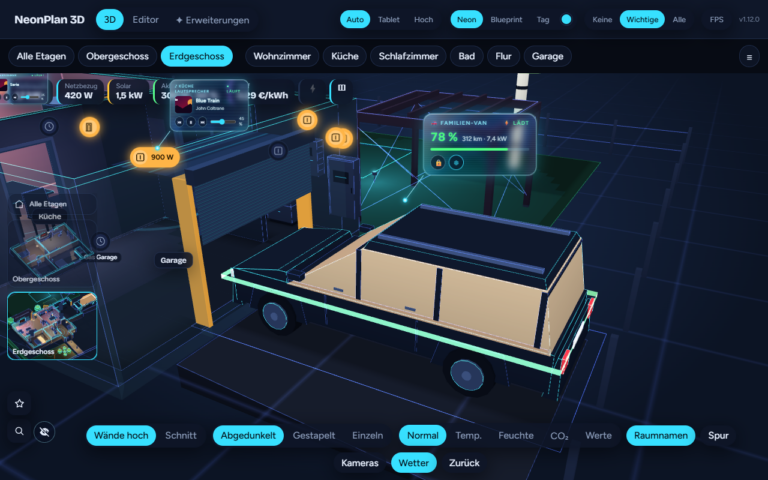
Lichter in Farbe und Helligkeit, Rollläden, offene oder gekippte Fenster, Klima-Heatmap, Stromfluss von PV, Akku und Netz, Personen, Saugroboter, Warnungen und Fahrzeuge auf Stellplätzen.Lights in colour and brightness, blinds, open or tilted windows, climate heatmap, power flow from PV, battery and grid, people, robot vacuum, alerts and vehicles on parking spaces.

BedienenControl

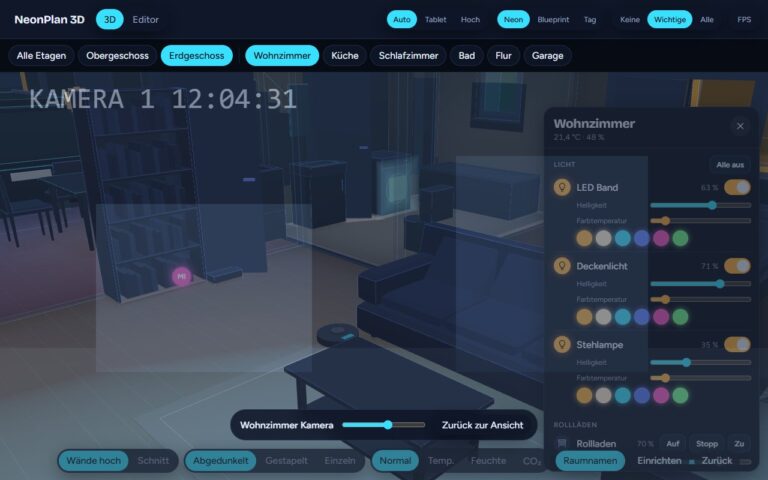
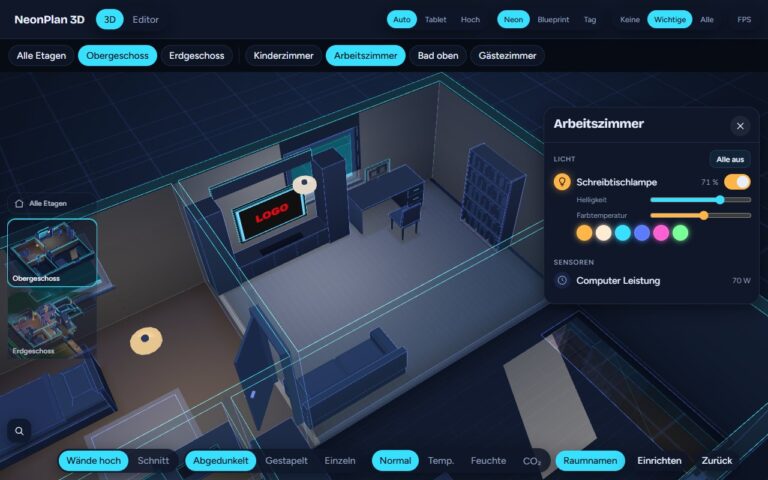
Licht antippen, Raum-Details mit Lichtern, Rollläden und Kameras öffnen, Doppeltipp auf einen Raum schaltet alle Lichter, dazu Szenen-Knöpfe.Tap a light, open room details with lights, blinds and cameras, double-tap a room to switch all its lights, plus scene buttons.

WandtabletWall tablet

Dashboard-Karte mit visuellem Editor ohne YAML. Kiosk-Funktionen: Rückkehr zur Startansicht, Nachtdimmung, Kamerafahrt. Läuft flüssig auf Amazon-Fire-Tablets.Dashboard card with a visual editor, no YAML. Kiosk features: return to the start view, night dimming, camera tour. Runs smoothly on Amazon Fire tablets.

Möbel-PacksFurniture packs

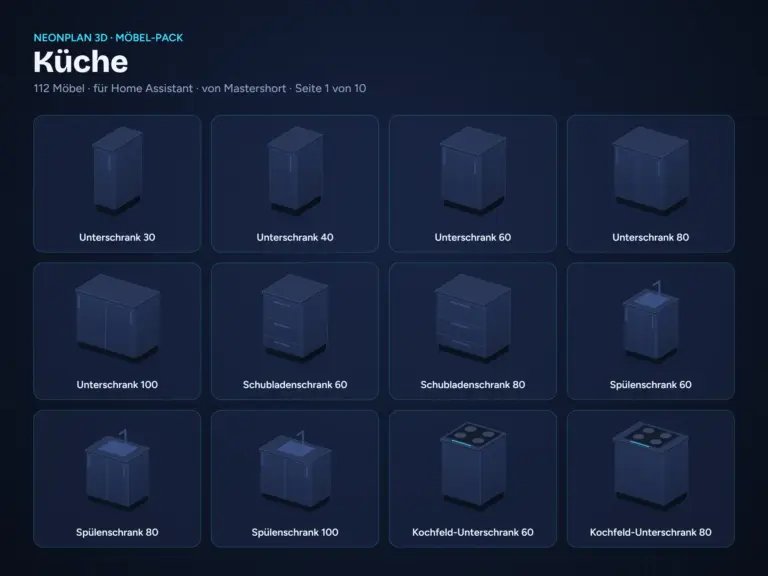
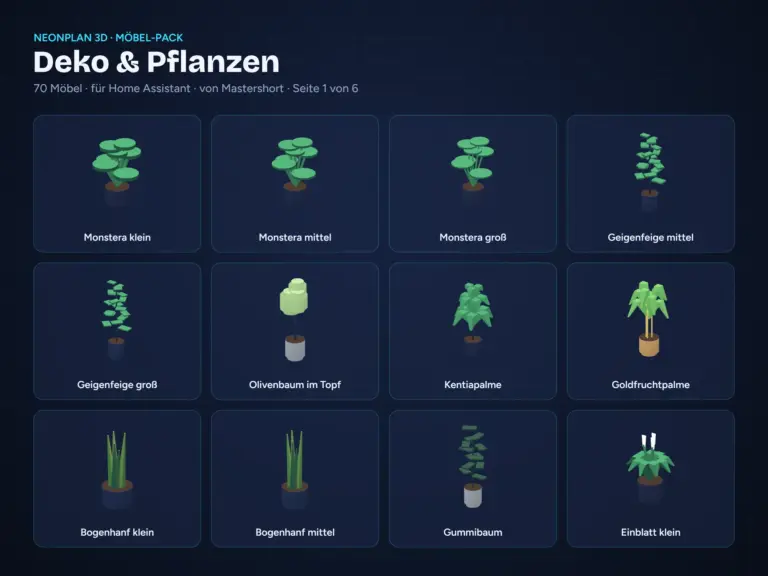
40 Möbel und ein Starter-Pack sind kostenlos dabei. Weitere Packs im gleichen Neon-Look gibt es hier im Shop, Import in unter einer Minute.40 built-in items and a starter pack are included for free. More packs in the same neon look are available here in the shop, imported in under a minute.

Lokal, 20 SprachenLocal, 20 languages

Läuft komplett lokal in Home Assistant. Keine Cloud, keine Konten. In 20 Sprachen: Deutsch, Englisch, Französisch, Spanisch, Niederländisch, Italienisch, Ungarisch, Dänisch, Schwedisch, Norwegisch (Bokmål und Nynorsk), Finnisch, Tschechisch, Polnisch, Rumänisch, Slowenisch, Slowakisch, Portugiesisch, Türkisch und Chinesisch (vereinfacht).Runs entirely locally in Home Assistant. No cloud, no accounts. In 20 languages: German, English, French, Spanish, Dutch, Italian, Hungarian, Danish, Swedish, Norwegian (Bokmål and Nynorsk), Finnish, Czech, Polish, Romanian, Slovenian, Slovak, Portuguese, Turkish and Chinese (Simplified).

Kostenlos installierenInstall for free

  1. Installieren: In Home Assistant Einstellungen → Marketplace öffnen, „NeonPlan 3D“ suchen, Installieren und Home Assistant neu starten. Mit Home Assistant vor 2026.11 geht es genauso über HACS.Install: in Home Assistant open Settings → Marketplace, search for “NeonPlan 3D”, select Install and restart Home Assistant. On Home Assistant before 2026.11, use HACS the same way.
  2. Integration hinzufügen: Einstellungen → Geräte & Dienste → „Integration hinzufügen“ → „NeonPlan 3D“.Add the integration: Settings → Devices & services → “Add integration” → “NeonPlan 3D”.
  3. Loslegen: NeonPlan 3D erscheint in der Seitenleiste. Grundriss zeichnen, Geräte zuordnen, fertig.Get started: NeonPlan 3D appears in the sidebar. Draw your floor plan, assign devices, done.

Voraussetzung: Home Assistant ab 2025.1. Ab 2026.11 über den eingebauten Marketplace, davor über HACS.Requirements: Home Assistant 2025.1 or later. From 2026.11 via the built-in Marketplace, before that via HACS.

// FURNITURE PACKS

Furnish your whole home – for a one-time €29.90

One purchase, all the furniture for every ordinary room. That is all you need. Want more? Add €10 at a time – for special rooms or for Pro features.

100 % FREE
NeonPlan 3D is free – you don’t have to buy anything.

Draw your floor plan, live 3D, control lights, blinds and scenes, alerts and wall-tablet mode – with 40 items included. The packs are an optional extra for more furniture.

LIFETIME UPDATES INCLUDED
Buy once – always up to date.

New items in your packs and improvements to the Pro features come to you automatically. No extra charge, no subscription.

Updates for the lifetime of NeonPlan 3D, through the shop connection.
  • New items
  • Better Pro features
  • Arrives by itself
Just right for most homes
Basic Bundle
All the furniture for your home
€29.90one-timeLifetime-Updates
separately €53.90You save €24
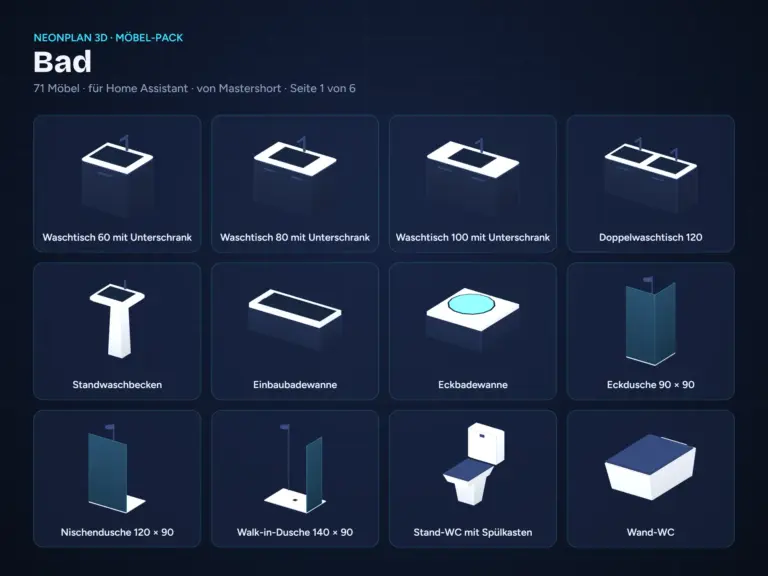
Living roomKitchenBathroom
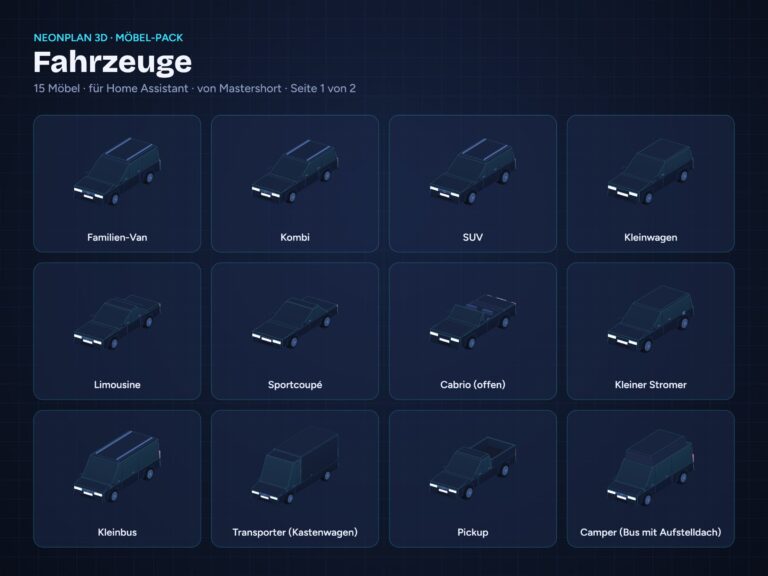
727 items & vehicles in 11 Packs
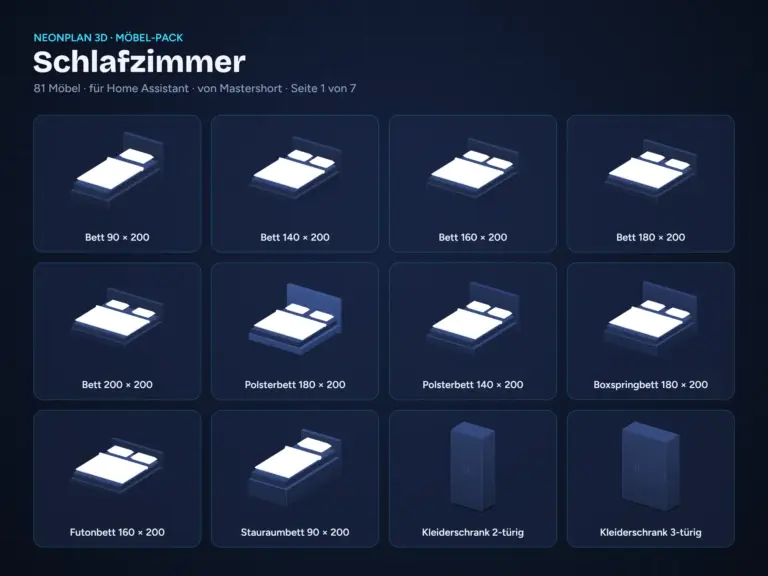
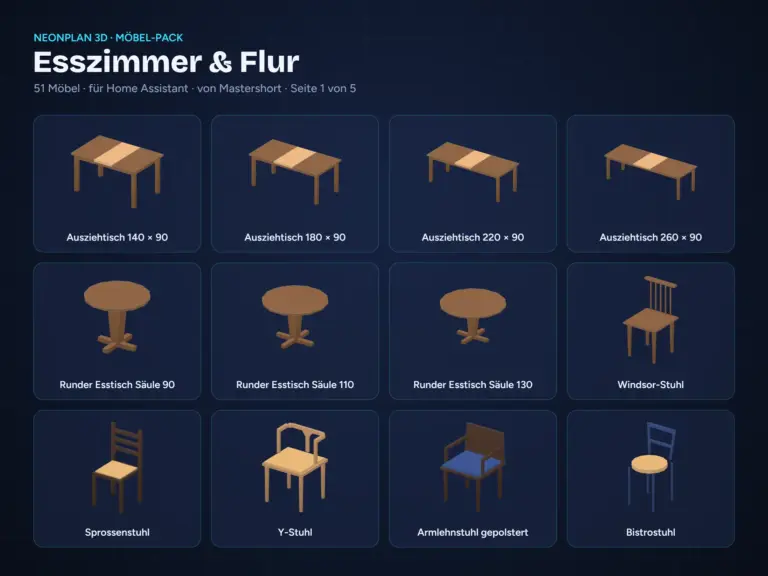
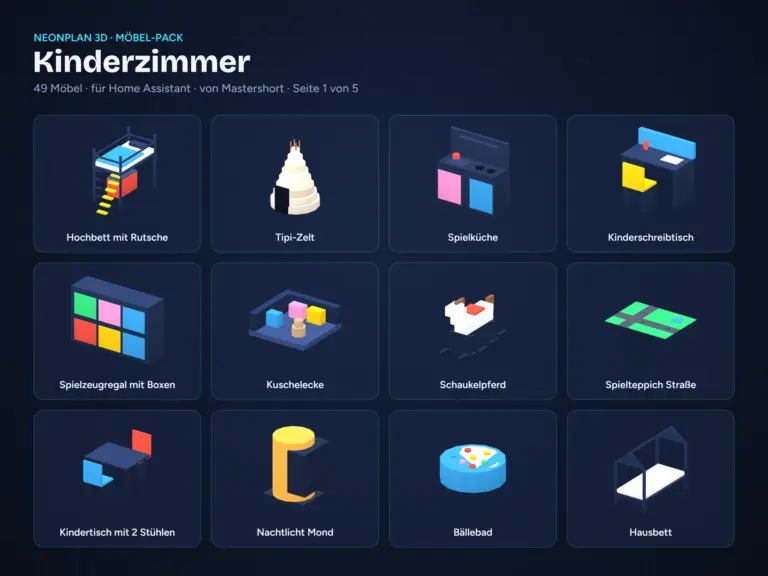
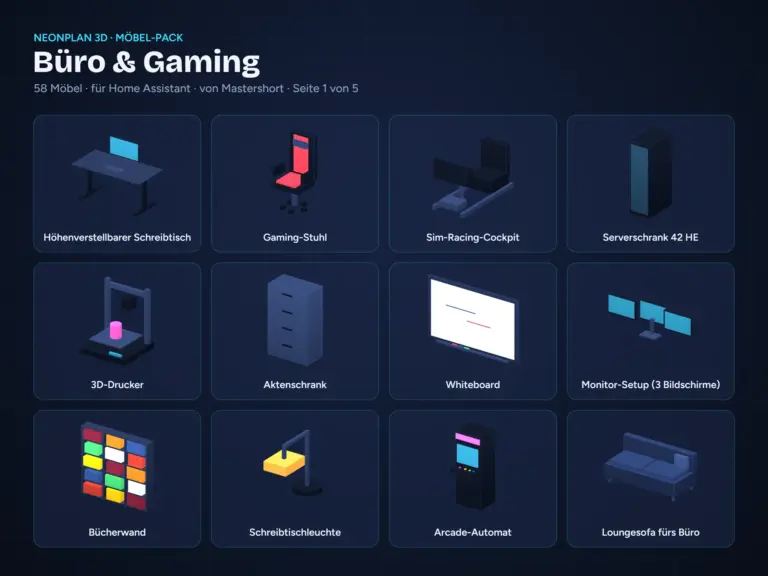
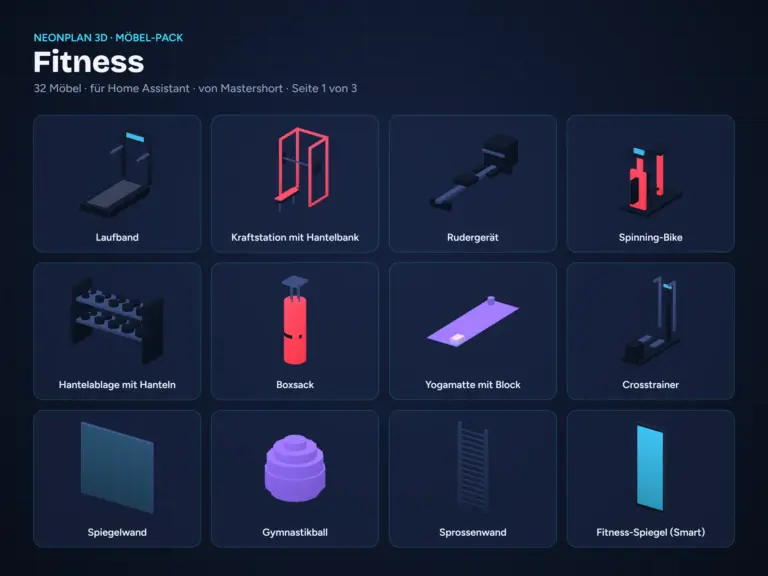
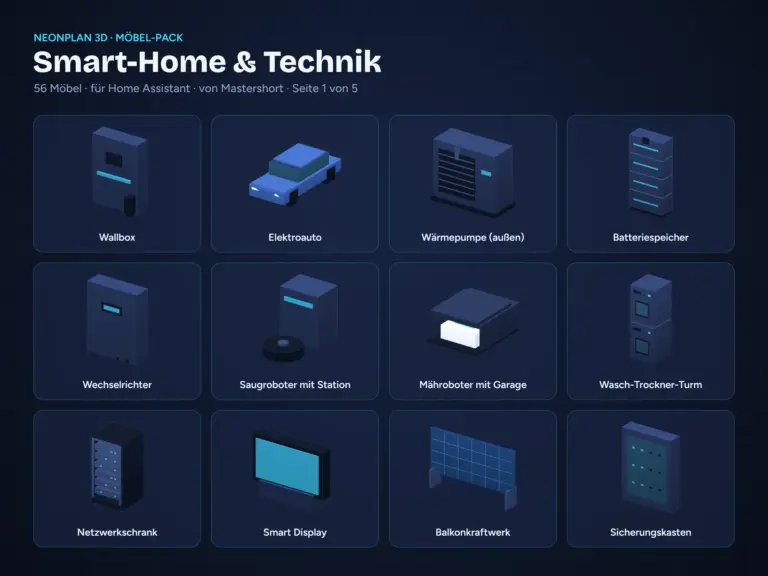
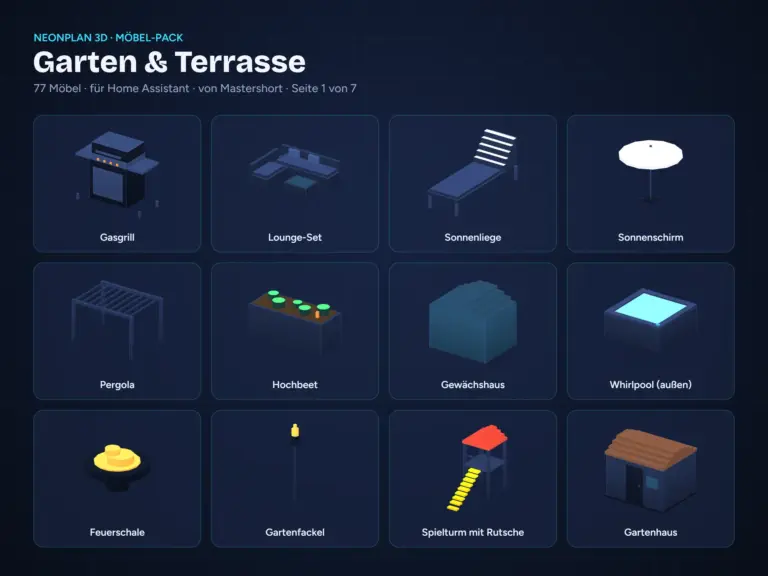
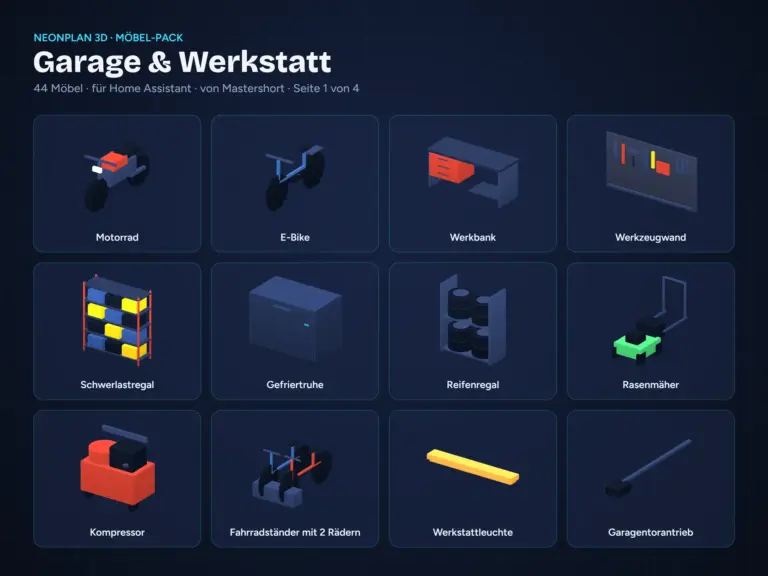
Living room 132Kitchen 112Bedroom 81Bathroom 71Kids’ room 49Office & gaming 58Garden & patio 77Garage & workshop 44Fitness 32Smart home & tech 56Vehicles 15
Every ordinary room is covered – from the couch to the car in the driveway.
Get the Basic Bundle
+€10 · for special rooms
Complete Bundle
Basic Bundle + 5 special packs
€39.90one-timeLifetime-Updates
separately €76.40You save €36.50
Everything in the Basic Bundle, plus:
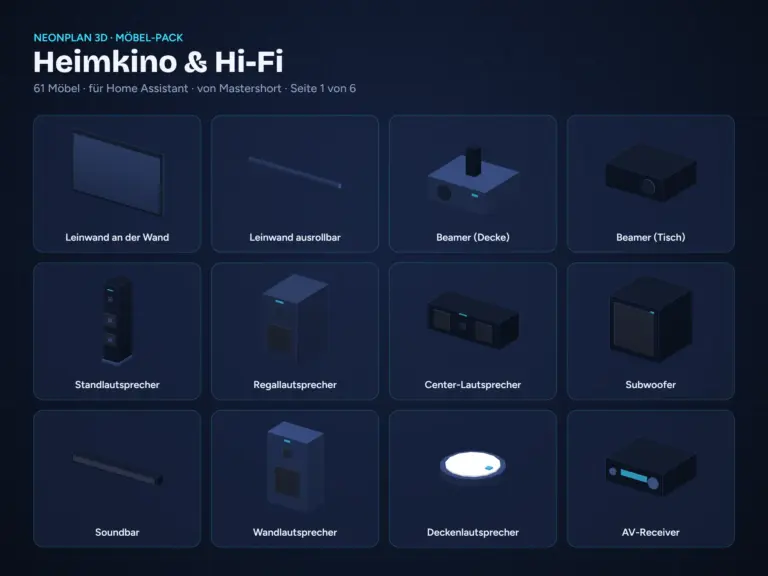
+ Home cinema & hi-fi61
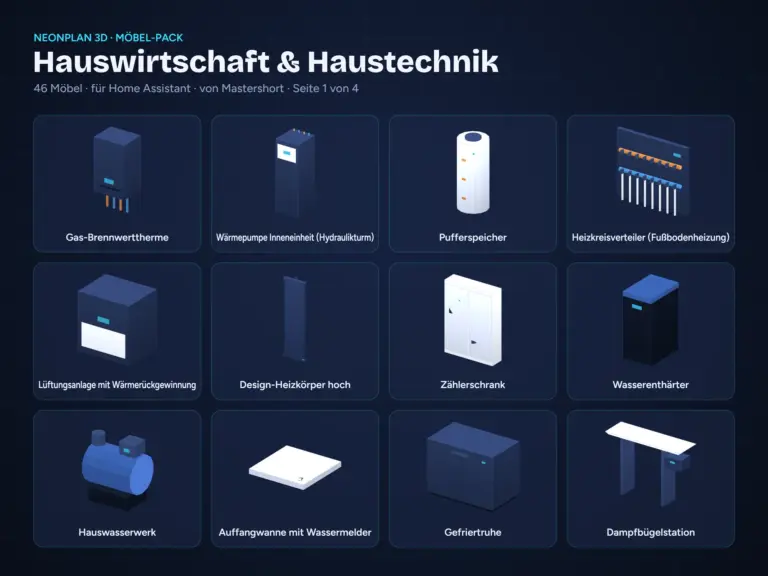
+ Utility & building services46
+ Pets24
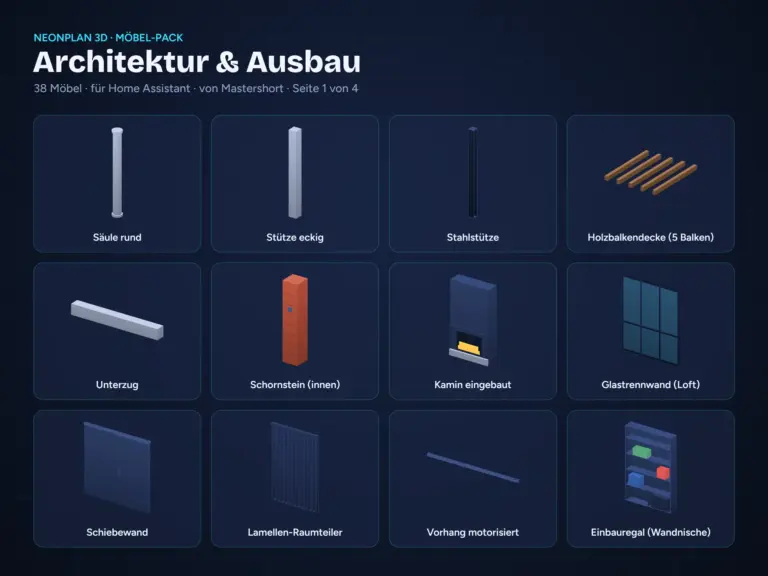
+ Architecture & fit-out38
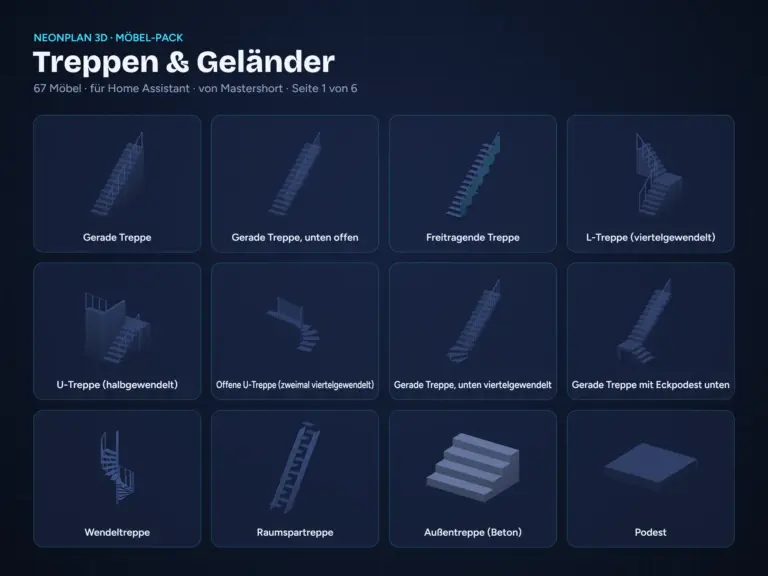
+ Stairs & railings67
963 items & vehicles in 16 Packs
Worth it if you have … a home cinema, a heat pump or boiler, pets or several floors with stairs.
View the Complete Bundle
+€10 · for Pro featuresNEW: 5 Pro instead of 3
Everything Bundle
Complete Bundle + 5 Pro features
€49.90one-timeLifetime-Updates
separately €100.90You save €51
All 963 items, plus new features:
Camera Cockpit – look into your home through any camera
Outdoor Weather – rain, snow and lightning around the house
Live Screens – TVs show what is playing
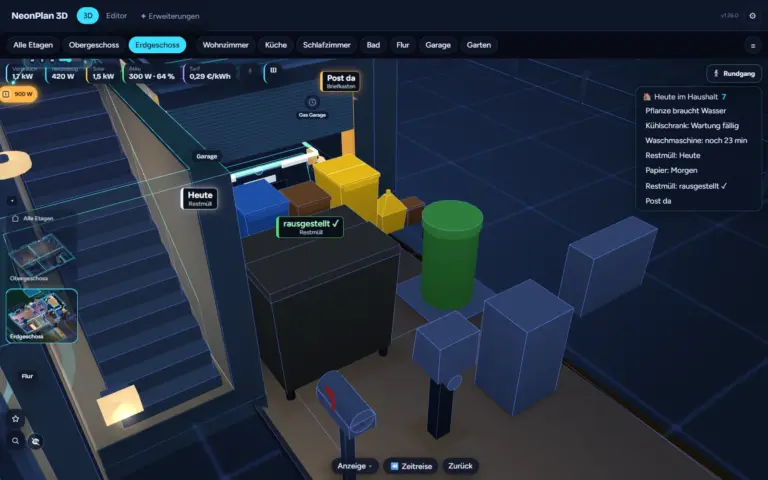
Household ProNEW – bins, post, plants and the washer at a glance
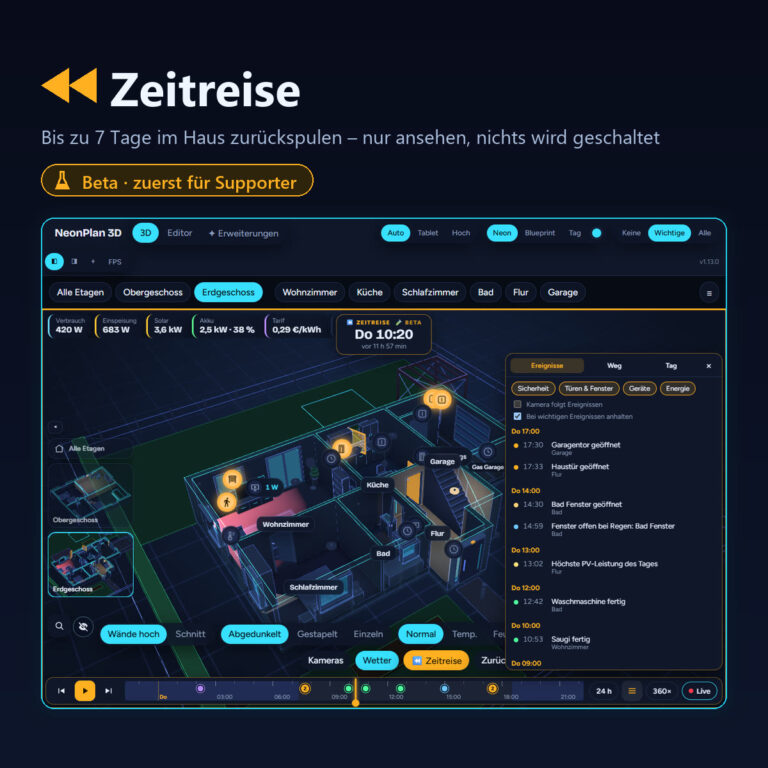
Time TravelNEW – play back the last days in your 3D house
Worth it if you have … cameras, TVs, a weather entity or smart household devices in Home Assistant.
View the Everything Bundle
💙 EVERYTHING + FUTURENEW: incl. NeonPlan Print
Supporter Pass 2027
Everything available today – and everything new until the end of 2027
€79one-time
separately €162.80You save €83.80
More than the Everything Bundle:
🖨 NeonPlan Print (beta) – your house as a 3D print: floors you lift off, the roof as a lid. Supporters only, free during the beta until 30 Nov 2026. Take a look →
All 22 furniture packs – 1,233 items, including the 4 new ones
All 9 Pro add-ons
Camera CockpitOutdoor WeatherLive ScreensHousehold ProTime TravelEnergy ProHeat ProSound & CinemaCar Prohighlighted: only in the pass, not in the Everything Bundle
Modules – supporters get them first
The house answersAnnouncements
Every new pack and add-on until 31 Dec 2027, automatically
💙 Supporter role on Discord & beta access
Already bought packs or bundles? Everything is credited.
Become a supporter →
Not sure? Take the Basic Bundle.

You can top up any time – as a customer you get a personal discount code for every further pack.

Basic Bundle for €29.90

One-time purchaseNo subscription, no running costs

For 3 installationsHome, holiday home, test system

Lifetime updatesPay once, always up to date

Ready right awayImport in under a minute

Einzelne Packs – nach RäumenSingle packs – by room

21 Packs, jedes in unter einer Minute importiert. Nimm nur, was dein Zuhause braucht.21 packs, each imported in under a minute. Take only what your home needs.

🛋
WohnenLiving496 Möbel und Teileitems and parts
🎮
Arbeiten & FreizeitWork & leisure164 Möbel und Teileitems and parts
🔧
Haus & TechnikHouse & tech285 Möbel und Teileitems and parts
🌿
Draußen & ExtrasOutdoor & extras277 Möbel und Teileitems and parts
Lieber alles auf einmal?Rather have everything at once?

Die Bundles oder der Supporter-Pass bringen alle Packs in einem Kauf.The bundles or the Supporter Pass bring every pack in one purchase.

Bundles ansehen ↑See the bundles ↑

Pro-ErweiterungenPro add-ons

Keine Möbel, sondern neue Funktionen für dein 3D-Haus. Einmal kaufen, für bis zu drei Installationen.Not furniture but new features for your 3D house. Buy once, for up to three installations.

✓ = im Supporter-Pass enthalten= included in the Supporter Pass
⚡
Energie & KlimaEnergy & climateStrom, Wärme und Wetter sichtbar machenSee power, heat and weather
👁
Sehen & ErlebenSee & experienceKameras, Bildschirme, MusikCameras, screens, music
🏠
Alltag & HaushaltEveryday & householdDas Haus meldet sich, wenn etwas anstehtThe house tells you when something is due
NEUNEWEnergie Pro (7,90 €)Energy Pro (€7.90)Dein Strom, sichtbar: Leitungen mit wandernden Lichtpunkten zeigen, wohin die Energie gerade fließt, die Solarmodule leben mit der Sonne, und ein Glas-Hologramm über dem Dach zeigt PV, Ertrag, Akku, Netz und Autarkie. Für Dachanlagen und Balkonkraftwerke, mehrere Wechselrichter und Speicher, aus dem Energie-Dashboard mit einem Klick übernommen. Geräte-Hologramme zeigen Fernseher, Waschmaschine oder Wärmepumpe mit Watt und Tagesverbrauch – auch ohne Solaranlage. Läuft auch auf alten Wandtablets. Gas, Wasser und Wärme folgen als kostenlose Updates.Your power, made visible: cables with travelling light dots show where the energy is flowing right now, the solar modules live with the sun, and a glass hologram over the roof shows PV, yield, battery, grid and self-sufficiency. For roof plants and balcony plants, several inverters and batteries, taken over from the energy dashboard with one click. Device holograms show the TV, washing machine or heat pump with watts and today's consumption – also without solar. Runs on old wall tablets too. Gas, water and heat follow as free updates.Ansehen →View →

Kein Mehrwertsteuerausweis, da Kleinunternehmer nach §19 (1) UStG.No VAT is charged (small business according to §19 (1) UStG, Germany).

🎁 Zum Reinschnuppern: Newsletter abonnieren und 4 Schnupper-Packs gratis bekommen – zur Anmeldung.🎁 To try them out: subscribe to the newsletter and get 4 taster packs for free – sign up.

Shop-VerbindungShop connection

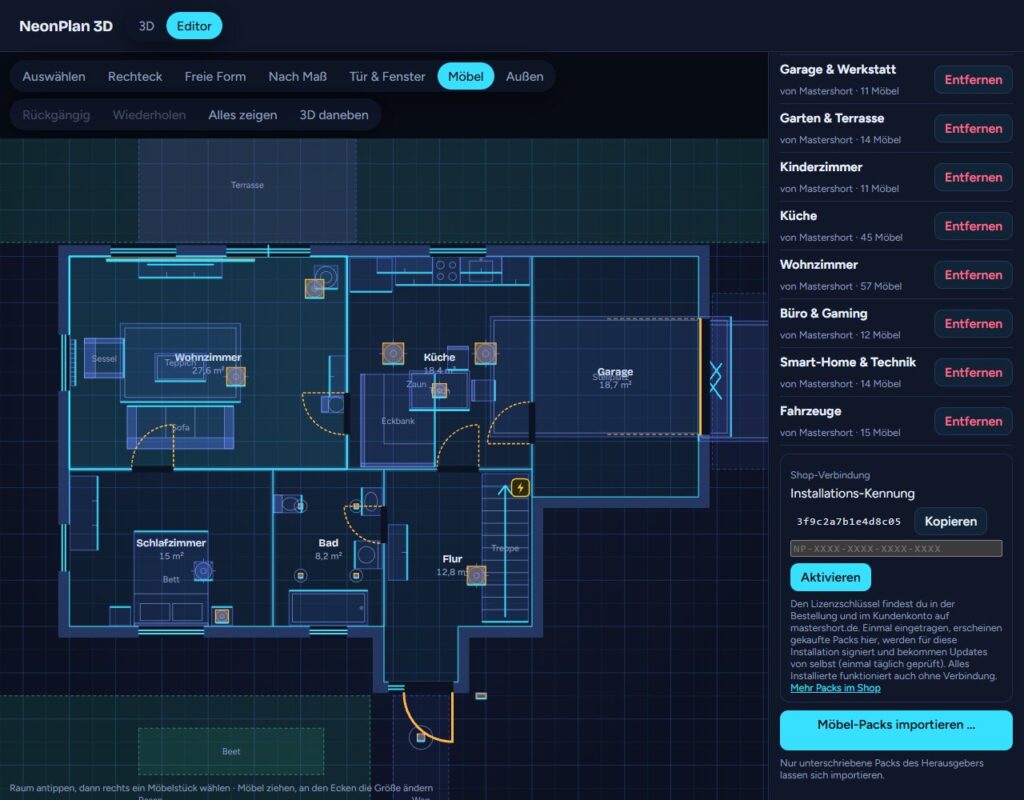
Lizenzschlüssel: Mit dem ersten Pack-Kauf bekommst du einen Schlüssel (steht in der Bestell-Mail und im Kundenkonto). In NeonPlan 3D (ab Version 1.9.2) unter Erweiterungen › Shop-Verbindung eintragen – gekaufte Packs erscheinen dann dort, werden für deine Installation signiert und bekommen Updates von selbst. Alles Installierte funktioniert auch ohne Verbindung zum Shop.License key: With your first pack purchase you get a key (in the order e-mail and in your customer account). Enter it in NeonPlan 3D (version 1.9.2 or later) under Extensions › Shop connection – your purchased packs then appear there, are signed for your installation and receive updates by themselves. Everything installed keeps working without a connection to the shop.

Ein Schlüssel lässt sich mit bis zu drei Installationen gleichzeitig verbinden (bis zu fünf neue Verbindungen im Jahr). Ziehst du auf neue Hardware um, verbindest du einfach die neue Installation; die älteste wird dann automatisch getrennt.One key can be linked to up to three installations at the same time (up to five new links per year). Moving to new hardware? Just connect the new installation; the oldest one is then disconnected automatically.
NeonPlan 3D – Shop-Verbindung / Shop connection

FAQ

Was brauche ich?What do I need?

Home Assistant ab 2025.1. Installiert wird NeonPlan 3D über den Marketplace in Home Assistant (vor 2026.11 über HACS) und ist selbst kostenlos. Für die Möbel-Packs, die Pro-Erweiterungen und die Shop-Verbindung brauchst du NeonPlan 3D ab Version 1.9.2.Home Assistant 2025.1 or later. NeonPlan 3D is installed from the Home Assistant Marketplace (before 2026.11 via HACS) and is free itself. Furniture packs, the Pro add-ons and the shop connection need NeonPlan 3D version 1.9.2 or later.

Wie bekomme ich gekaufte Packs in NeonPlan 3D?How do I get purchased packs into NeonPlan 3D?

Mit dem ersten Pack-Kauf bekommst du einen Lizenzschlüssel (steht in der Bestell-Mail und im Kundenkonto). In NeonPlan 3D (ab Version 1.9.2) unter Erweiterungen › Shop-Verbindung eintragen – gekaufte Packs erscheinen dann dort, werden für deine Installation signiert und bekommen Updates von selbst. Alles Installierte funktioniert auch ohne Verbindung zum Shop. Alternativ lädst du die Datei .fp3dpack im Kundenkonto herunter und importierst sie über Editor → Möbel → „Möbel-Pack importieren …“.With your first pack purchase you get a license key (in the order e-mail and in your customer account). Enter it in NeonPlan 3D (version 1.9.2 or later) under Extensions › Shop connection – your purchased packs then appear there, are signed for your installation and receive updates by themselves. Everything installed keeps working without a connection to the shop. Alternatively, download the .fp3dpack file in your customer account and import it via Editor → Furniture → “Import furniture pack …”.

Warum brauche ich ein Kundenkonto?Why do I need a customer account?

Packs und Erweiterungen hängen an deinem Kundenkonto: Dort findest du jederzeit deinen Lizenzschlüssel, deine Downloads und künftige Updates. Beim ersten Kauf wird das Konto automatisch angelegt, die Zugangsdaten bekommst du per Mail.Packs and add-ons are tied to your customer account: that is where you find your license key, your downloads and future updates at any time. The account is created automatically with your first purchase; you receive the access details by e-mail.

Auf wie vielen Installationen kann ich ein Pack nutzen?On how many installations can I use a pack?

Ein Schlüssel lässt sich mit bis zu drei Installationen gleichzeitig verbinden (bis zu fünf neue Verbindungen im Jahr). Ziehst du auf neue Hardware um, verbindest du einfach die neue Installation; die älteste wird dann automatisch getrennt. Die Datei trägt deinen Namen, der beim Import angezeigt wird. Kein Abo, Updates sind kostenlos.One key can be linked to up to three installations at the same time (up to five new links per year). Moving to new hardware? Just connect the new installation; the oldest one is then disconnected automatically. The file carries your name, which is shown on import. No subscription, updates are free.

Was sind Pro-Erweiterungen?What are Pro add-ons?

Pro-Erweiterungen sind keine Möbel, sondern schalten Funktionen frei: Kamera-Cockpit, Wetter draußen und Bildschirme live. Sie werden einzeln verkauft und sind nicht im Komplett-Bundle enthalten. Einmal kaufen, für bis zu drei Installationen.Pro add-ons are not furniture; they unlock features: Camera Cockpit, Outdoor Weather and Live Screens. They are sold separately and are not part of the Complete Bundle. Buy once, for up to three installations.

Läuft das flüssig auf einem Tablet?Does it run smoothly on a tablet?

Ja. NeonPlan 3D läuft flüssig auf Amazon-Fire-Tablets und bringt Kiosk-Funktionen für Wandtablets mit.Yes. NeonPlan 3D runs smoothly on Amazon Fire tablets and includes kiosk features for wall tablets.

Was passiert mit meinen Daten?What happens to my data?

NeonPlan 3D läuft komplett lokal in Home Assistant, ohne Cloud und ohne Konten. Nur wenn du die Shop-Verbindung nutzt, fragt NeonPlan 3D mit deinem Lizenzschlüssel und einer Kennung deiner Installation beim Shop nach gekauften Packs und Updates.NeonPlan 3D runs entirely locally in Home Assistant, without cloud or accounts. Only if you use the shop connection does NeonPlan 3D ask the shop for purchased packs and updates, using your license key and an ID of your installation.

Kann ich ein Pack zurückgeben?Can I return a pack?

Für digitale Downloads gelten meine AGB und die Widerrufsbelehrung.Digital downloads are covered by my terms and the cancellation policy (German).

SupportSupport

Fragen oder Probleme? support@mastershort.deQuestions or problems? support@mastershort.de
NeonPlan 3D ist ein unabhängiges Projekt und steht in keiner Verbindung zu Home Assistant oder Nabu Casa.NeonPlan 3D is an independent project and is not affiliated with Home Assistant or Nabu Casa.