Beschreibung
Car Pro – your car in the 3D house, the way it really stands there
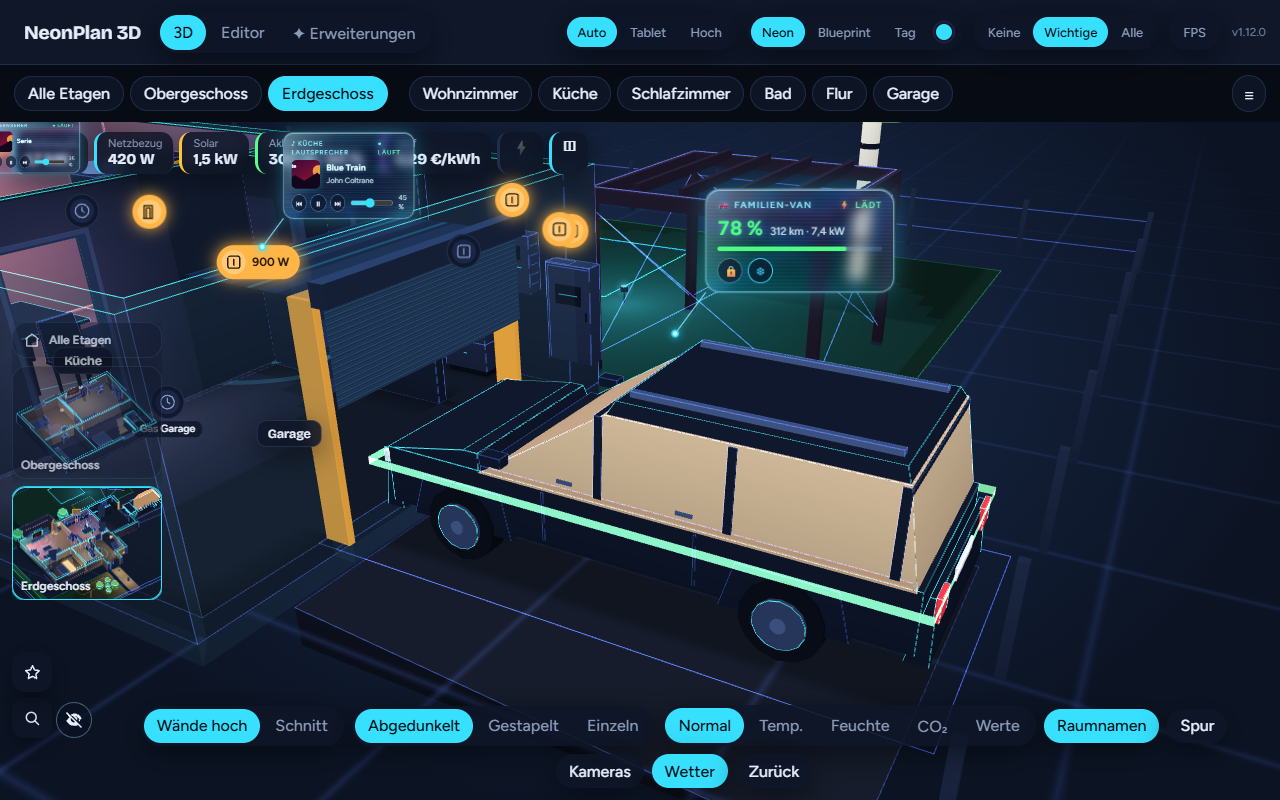
A glass card floats over the car in the look of Energy Pro: the charge with a bar in its colour, the range, the charging power, plus buttons for the lock, the climate and charging.
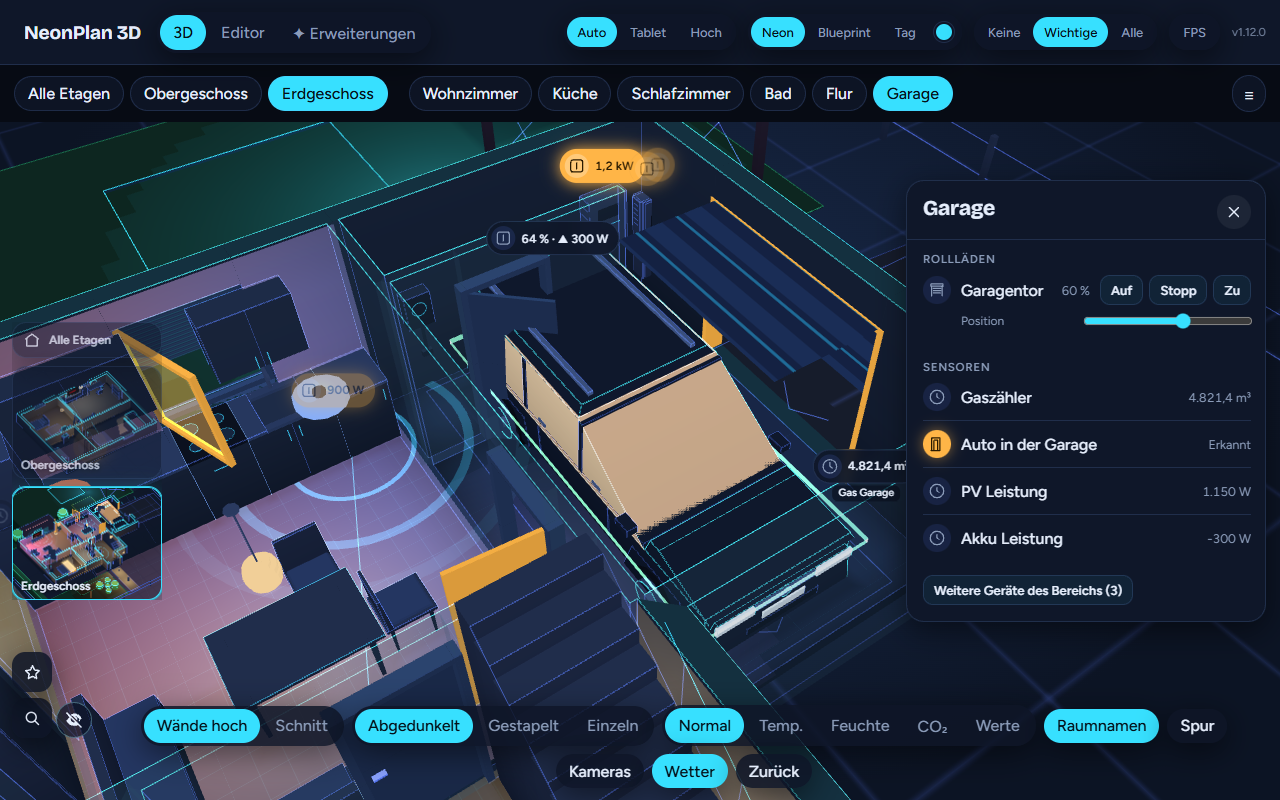
The vehicle in its parking spot shows what its integration reports: a light band in the charge colour (green, yellow, red), stronger while it charges; a warm interior glow while the climate or preheating runs; at the spot a pin with charge, range, charging power and lock – „78 % · 312 km · ⚡ 7.4 kW · 🔒“. When the car is out, the spot stays empty and the pin says „away · Work“. A long press opens the quick menu: lock and unlock (with a confirmation), climate on/off, start/stop charging. When the car is unlocked, its head- and taillights glow amber.
Set up in a minute: pick one entity of the car, NeonPlan finds the rest on the same device (Tesla, VW We Connect, BMW, Hyundai/Kia, Renault, Smart, Polestar, Audi, Skoda, Cupra, Ford and every other integration with charge and range). Every role can be set by hand. Works with helpers (input_number, input_boolean) too when your car has no integration of its own.
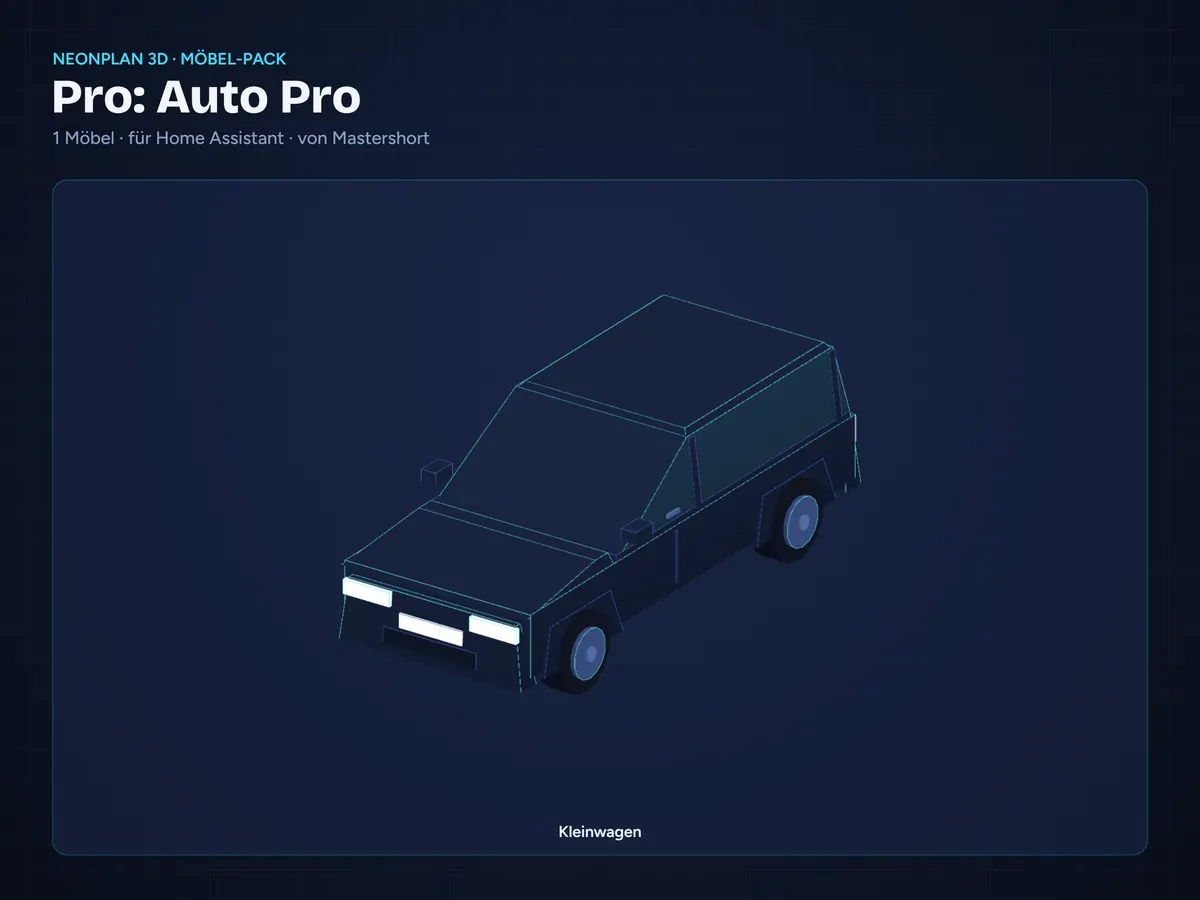
A compact car is included – Car Pro works right away, no other pack needed. Prefer an SUV, estate, van or motorhome? 14 more vehicles come in the pack Vehicles (included in the Supporter Pass).
Runs on every wall tablet, old ones too. €5.90 once, up to three installations. Manual chapter 6.6.
Requirements
- NeonPlan 3D 1.12.0 or newer (free via HACS)
- Home Assistant 2025.1 or newer
- A car integration with charge and range, or helpers
- NeonPlan 3D runs in 16 languages: German, English, French, Spanish, Dutch, Italian, Hungarian, Danish, Swedish, Norwegian (Bokmål and Nynorsk), Finnish, Czech, Polish, Romanian and Slovenian
Licence
Buy once; your licence key unlocks Car Pro on up to three installations. No running costs, keeps working without internet. Enter the key in NeonPlan 3D under Extensions › Shop connection. Questions: GitHub issue or discussion in the repo, we answer quickly.
Auto Pro – dein Auto im 3D-Haus, so wie es wirklich dasteht
Über dem Auto schwebt eine Glaskarte im Look von Energie Pro: Ladestand mit Balken in seiner Farbe, Reichweite, Ladeleistung, dazu Knöpfe für Schloss, Klima und Laden.
Das Fahrzeug auf dem Stellplatz zeigt, was seine Integration meldet: ein Lichtband in der Ladestandsfarbe (grün, gelb, rot), kräftiger, solange es lädt; ein warmes Innenlicht, wenn Klima oder Standheizung laufen; am Stellplatz ein Pin mit Ladestand, Reichweite, Ladeleistung und Schloss – „78 % · 312 km · ⚡ 7,4 kW · 🔒“. Ist das Auto weg, bleibt der Platz leer und der Pin sagt „unterwegs · Arbeit“. Lange drücken öffnet das Schnellmenü: Verriegeln und Entriegeln (mit Rückfrage), Klima an/aus, Laden starten/stoppen. Ist das Auto entriegelt, leuchten Scheinwerfer und Rücklichter orange.
Einrichtung in einer Minute: eine Entität des Autos wählen, den Rest findet NeonPlan am selben Gerät (Tesla, VW We Connect, BMW, Hyundai/Kia, Renault, Smart, Polestar, Audi, Skoda, Cupra, Ford und alle anderen Integrationen mit Ladestand und Reichweite). Jede Rolle lässt sich von Hand setzen. Funktioniert auch mit Helfern (input_number, input_boolean), wenn dein Auto keine eigene Integration hat.
Ein Kleinwagen ist dabei – Auto Pro läuft sofort, ohne weiteres Pack. Lieber SUV, Kombi, Transporter oder Wohnmobil? 14 weitere Fahrzeuge gibt es im Pack Fahrzeuge (im Supporter-Pass enthalten).
Läuft auf jedem Wandtablet, auch auf alten. Einmal 5,90 €, bis zu drei Installationen. Anleitung Kapitel 6.6.
Voraussetzungen
- NeonPlan 3D ab Version 1.12.0 (kostenlos über HACS)
- Home Assistant ab 2025.1
- Eine Auto-Integration mit Ladestand und Reichweite oder Helfer
- NeonPlan 3D läuft in 16 Sprachen: Deutsch, Englisch, Französisch, Spanisch, Niederländisch, Italienisch, Ungarisch, Dänisch, Schwedisch, Norwegisch (Bokmål und Nynorsk), Finnisch, Tschechisch, Polnisch, Rumänisch und Slowenisch
Lizenz
Einmal kaufen, dein Lizenzschlüssel schaltet Auto Pro auf bis zu drei Installationen frei. Keine laufenden Kosten, funktioniert auch ohne Internet weiter. Den Schlüssel trägst du in NeonPlan 3D unter Erweiterungen › Shop-Verbindung ein. Bei Fragen: GitHub-Issue oder Diskussion im Repo, wir antworten schnell.


Rezensionen
Es gibt noch keine Rezensionen