Beschreibung
Heat Pro – your heat pump as a system in the 3D house
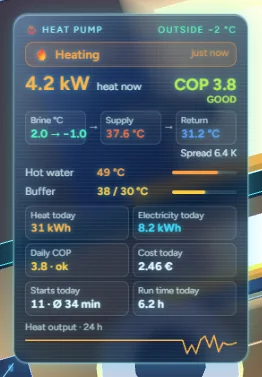
A module: a signed pack with its own code that NeonPlan loads into your house. Heat Pro shows what your heat pump is doing and where the heat goes:
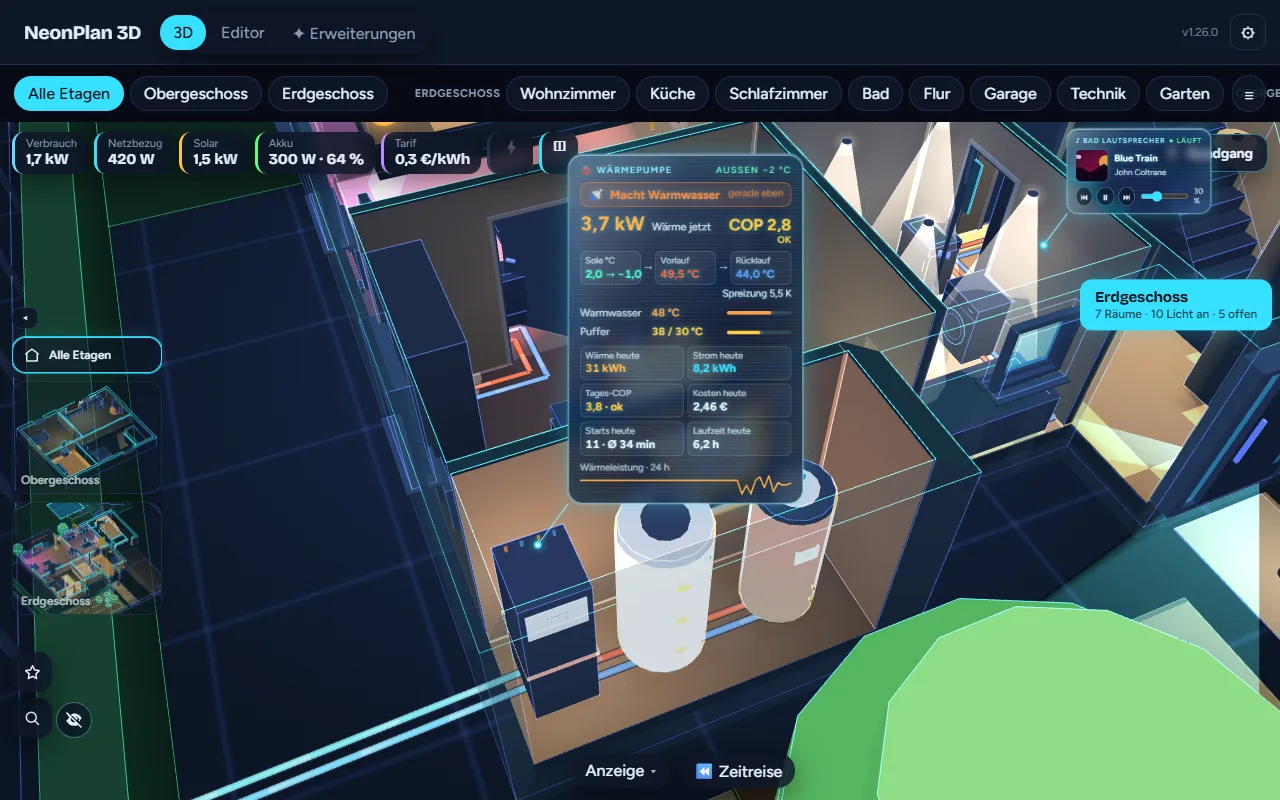
- A glass card at the heat pump: what it is doing (heating, hot water, defrosting, ready) and since when, heat output with COP and a rating (separately for air and ground source), source → flow → return with spread and target, hot water and buffer tank as bars, heat and electricity today, daily COP, costs (with the tariff from Energy Pro), starts and run time with a hint when it cycles, 24-hour curve
- NEWPower as precise as Home Assistant shows the sensor
- NEWHeat and electricity today also from regular energy meters (as in the Energy dashboard)
- NEWStatus light as a band, on the top plate or off
- Compressor modulation in % on the card as a bar; if the heat pump reports a frequency (Hz) instead, it shows as a number
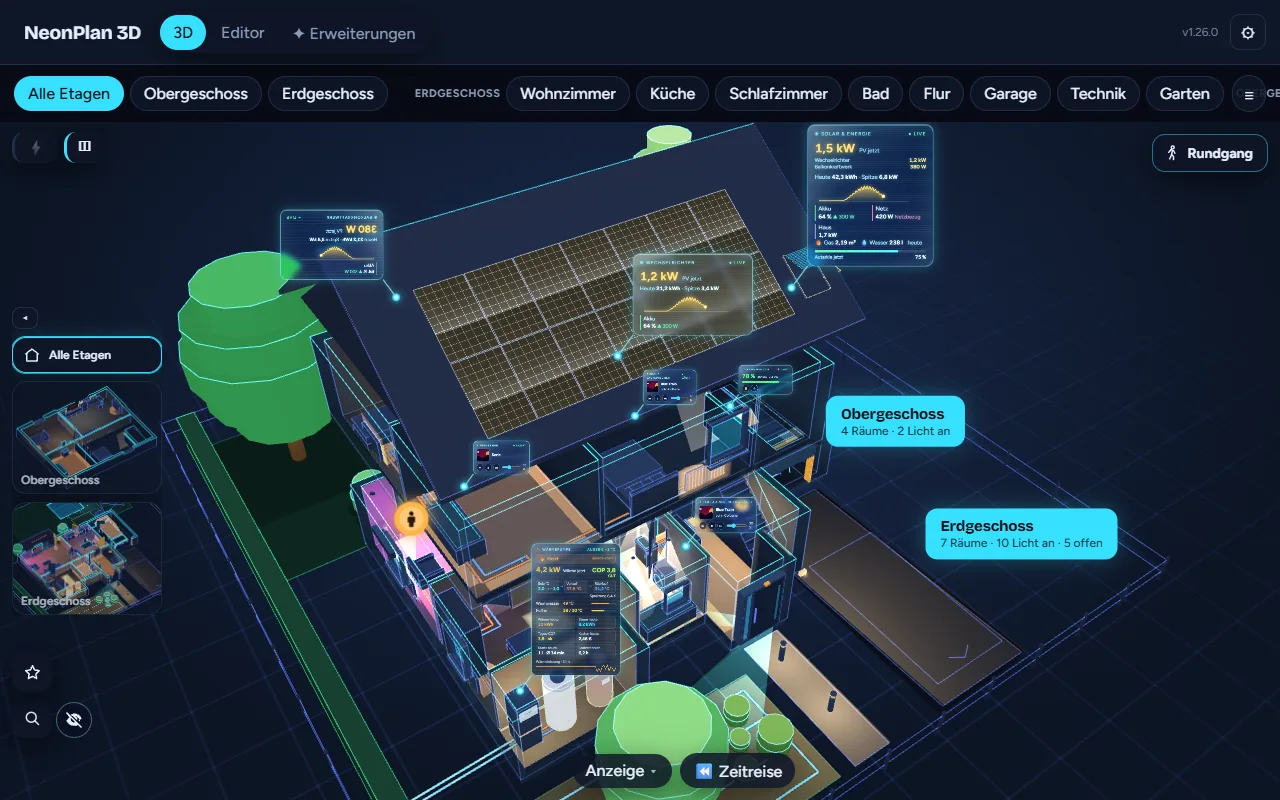
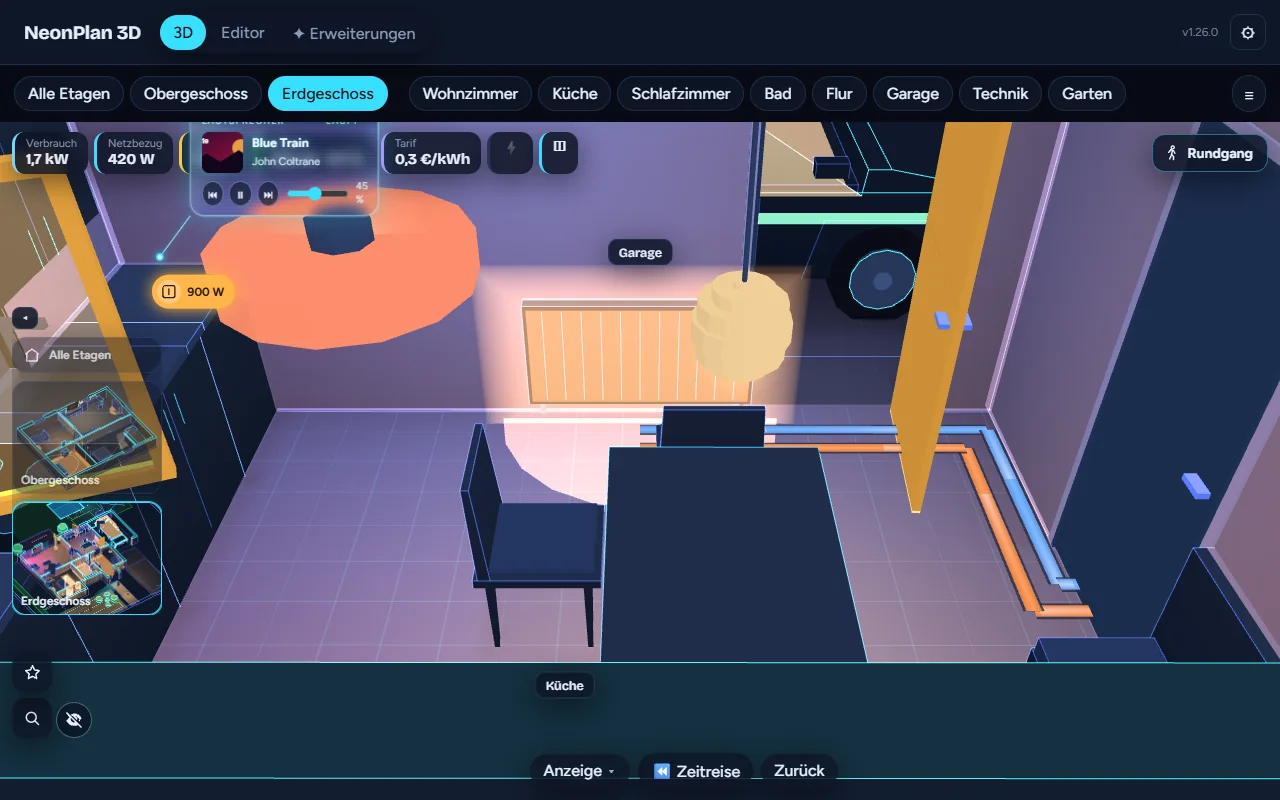
- Where the heat goes: radiators glow while heating; with underfloor heating, flow and return pipes lead to the manifold of each floor and from there to a glowing heating loop under every room (flow warm, return blue). Mixed houses and mixing circuits are recognised.
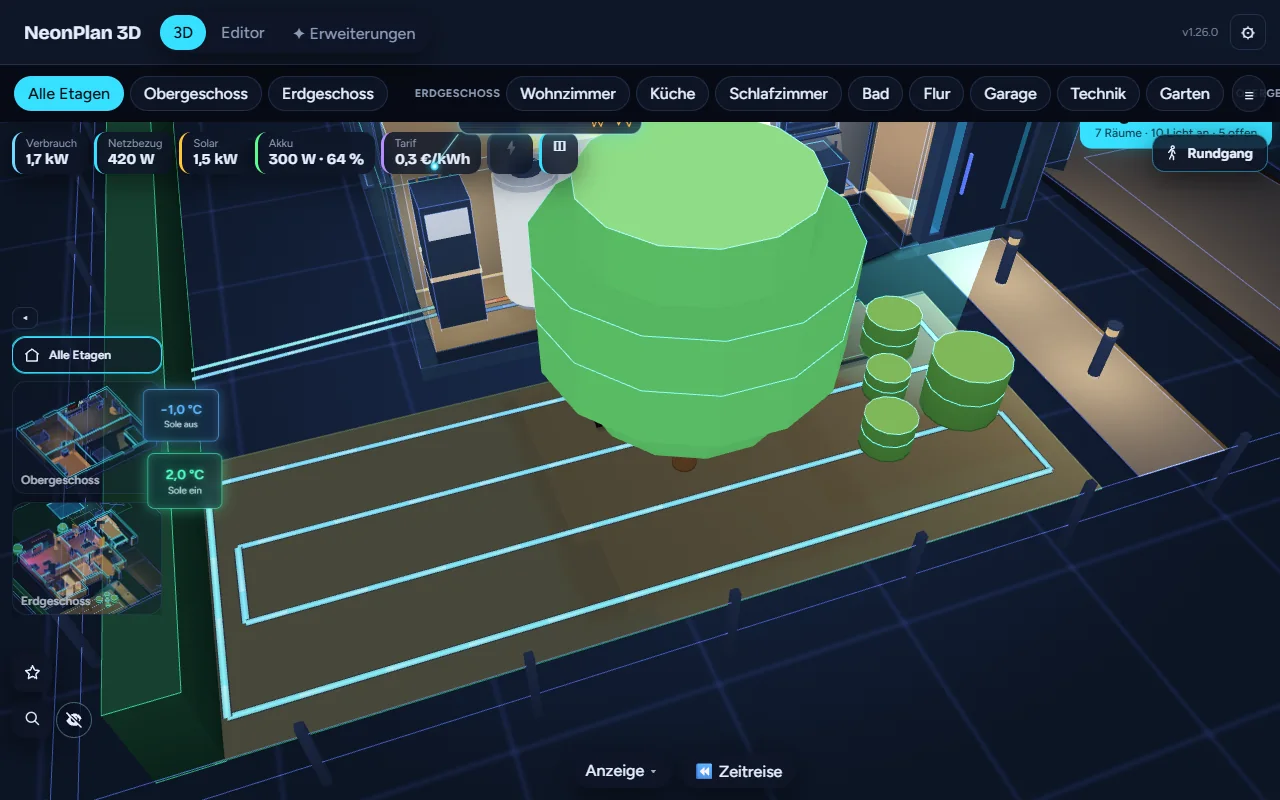
- Ground source in the garden: a ground collector as a glowing brine loop under the lawn, or a borehole, with brine in and out temperatures
- Warnings: defrosting, weak COP in frost, risk of icing at the collector, fault, heating with a window open
- Ask by voice: “How is the heat pump doing?”
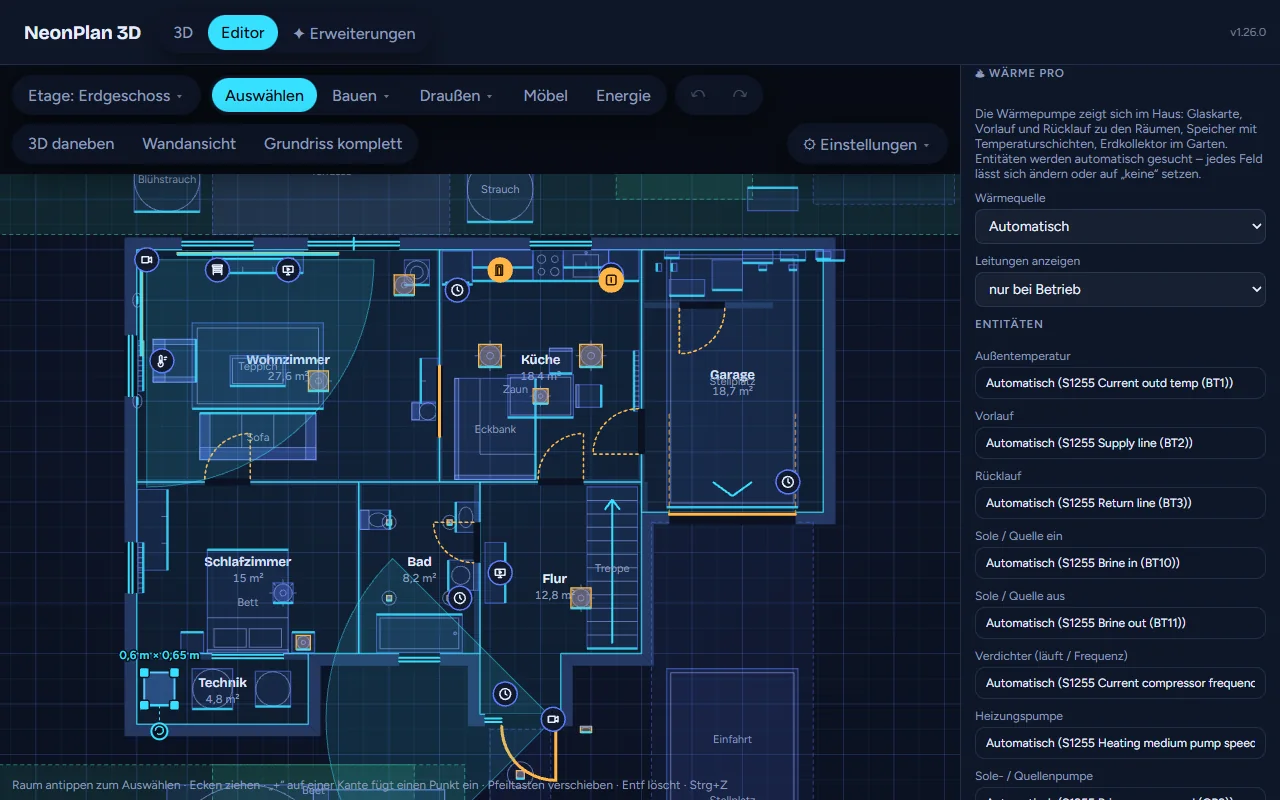
- Detects the values automatically for NIBE/myUplink, Thermia, Viessmann ViCare, Daikin, Luxtronik (Alpha Innotec, Novelan), Panasonic Aquarea/HeishaMon and Stiebel Eltron ISG, plus name patterns for Vaillant, Mitsubishi Ecodan, Bosch/Buderus, iDM, Lambda, Wolf, MQTT and ESPHome – every value can be changed by hand
- Demo mode to try it without a heat pump
Heat Pro only shows – it does not control your heat pump.
Tested early by supporters – now for everyone, included in the Supporter Pass. After buying, the module appears under Extensions. After installing, tap View code & approve once under Extensions → Modules in NeonPlan (and once for every update).
Setup tips
- Heat today / Electricity today: You can pick a daily counter here or a meter that keeps counting (e.g. the one from the Energy dashboard). With such a meter the card works out itself what was added since midnight. You don’t need a helper (utility_meter) for it.
- Power: Power is shown as precisely as Home Assistant shows the sensor (entity settings → display precision), at most 2 decimals.
Requirements
- NeonPlan 3D 1.26.0 or newer (free via HACS)
- Status light on the top plate: NeonPlan 3D 2.3.0 or newer (older versions keep showing the band)
Wärme Pro – deine Wärmepumpe als System im 3D-Haus
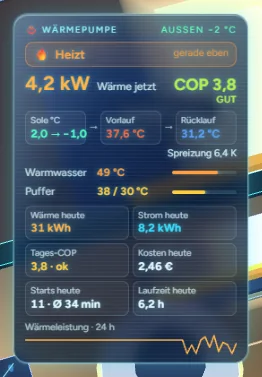
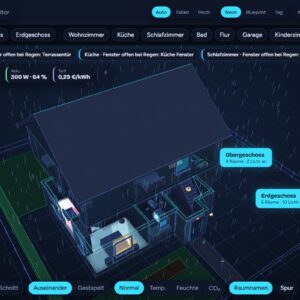
Ein Modul: ein signiertes Pack mit eigenem Code, das NeonPlan in dein Haus lädt. Wärme Pro zeigt, was deine Wärmepumpe gerade tut und wohin die Wärme geht:
- Eine Glaskarte an der Wärmepumpe: was sie gerade tut (heizt, macht Warmwasser, taut ab, bereit) und seit wann, Wärmeleistung mit Leistungszahl (COP) und Bewertung (getrennt für Luft- und Erdwärmepumpen), Quelle → Vorlauf → Rücklauf mit Spreizung und Soll, Warmwasser- und Pufferspeicher als Balken, heute Wärme und Strom, Tages-COP, Kosten (mit dem Tarif aus Energie Pro), Starts und Laufzeit mit Hinweis bei Takten, 24-Stunden-Kurve
- NEULeistung so genau, wie Home Assistant den Sensor anzeigt
- NEUWärme und Strom heute auch aus normalen Energiezählern (wie im Energie-Dashboard)
- NEUStatuslicht als Ring, auf der Oberseite oder aus
- Verdichter-Modulation in % auf der Karte als Balken; meldet die Wärmepumpe stattdessen eine Frequenz (Hz), steht sie als Zahl da
- Wohin die Wärme geht: Heizkörper glühen, solange geheizt wird; bei Fußbodenheizung führen Vor- und Rücklauf zum Heizkreisverteiler jeder Etage und von dort zu einer leuchtenden Heizschleife unter jedem Raum (Vorlauf warm, Rücklauf blau). Gemischte Häuser und Mischkreise werden erkannt.
- Erdwärme im Garten: Flächenkollektor als leuchtende Sole-Schleife unter dem Rasen oder Erdsonde, mit Sole-Ein- und Austrittstemperatur
- Warnungen: Abtauen, schwache Leistungszahl bei Frost, Vereisungsgefahr am Kollektor, Störung, Heizen bei offenem Fenster
- Per Sprache fragen: „Wie läuft die Wärmepumpe?“
- Erkennt die Werte automatisch für NIBE/myUplink, Thermia, Viessmann ViCare, Daikin, Luxtronik (Alpha Innotec, Novelan), Panasonic Aquarea/HeishaMon und Stiebel Eltron ISG, dazu Namensmuster für Vaillant, Mitsubishi Ecodan, Bosch/Buderus, iDM, Lambda, Wolf, MQTT und ESPHome – jeder Wert lässt sich von Hand ändern
- Demo-Modus zum Ausprobieren ohne Wärmepumpe
Wärme Pro zeigt nur an – es steuert deine Wärmepumpe nicht.
Vorab von Supportern getestet – jetzt für alle, im Supporter-Pass enthalten. Nach dem Kauf erscheint das Modul unter Erweiterungen. Nach der Installation in NeonPlan einmal unter Erweiterungen → Module auf Code ansehen & freigeben tippen (und bei jedem Update erneut).
Einrichtung
- Wärme heute / Strom heute: Du kannst hier einen Tageszähler wählen oder einen Zähler, der immer weiterzählt (z. B. den aus dem Energie-Dashboard). Bei so einem Zähler rechnet die Karte selbst aus, was seit Mitternacht dazugekommen ist. Einen Hilfszähler (utility_meter) brauchst du dafür nicht.
- Leistung: Die Leistung wird so genau angezeigt, wie Home Assistant den Sensor anzeigt (Einstellungen der Entität → Anzeigegenauigkeit), höchstens 2 Nachkommastellen.
Voraussetzungen
- NeonPlan 3D 1.26.0 oder neuer (kostenlos über HACS)
- Statuslicht auf der Oberseite: NeonPlan 3D 2.3.0 oder neuer (ältere Versionen zeigen weiter den Ring)
Rezensionen
Es gibt noch keine Rezensionen