Dein Zuhause in 3D – live in Home AssistantYour home in 3D – live in Home Assistant
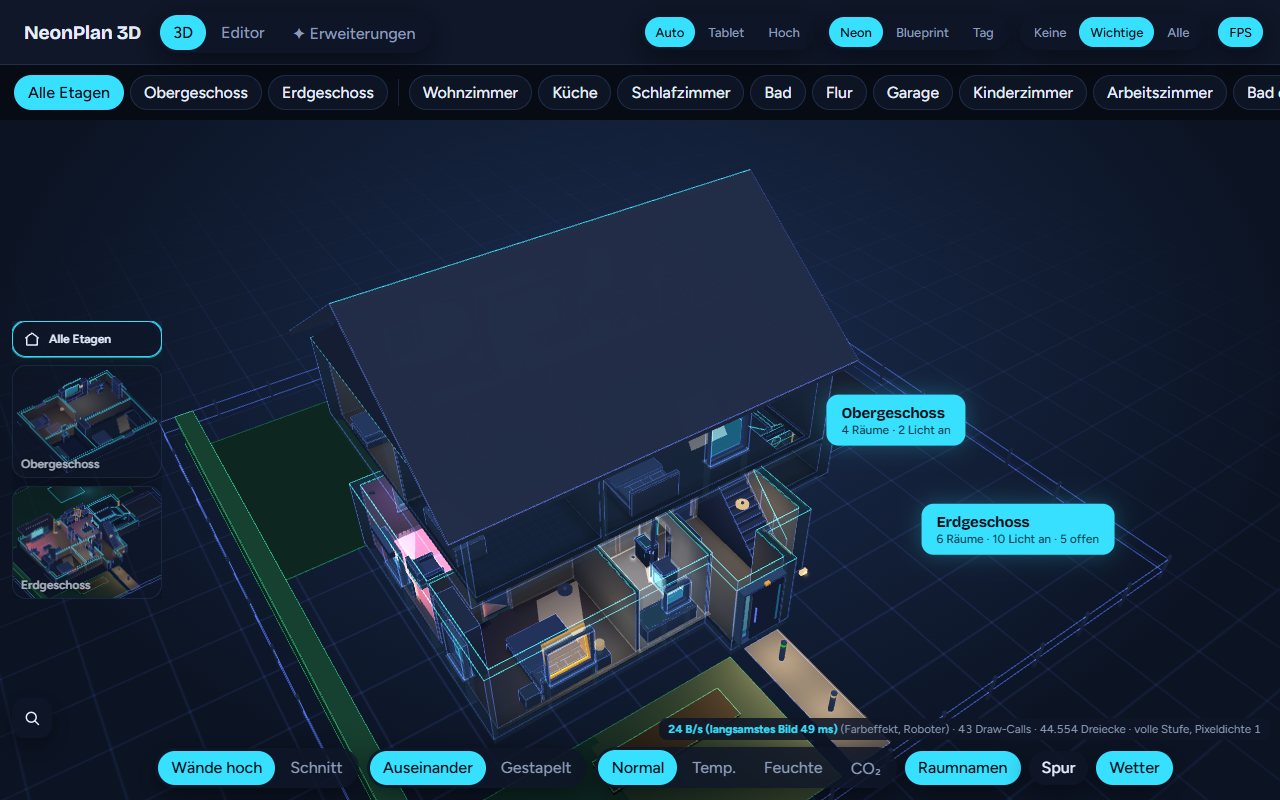
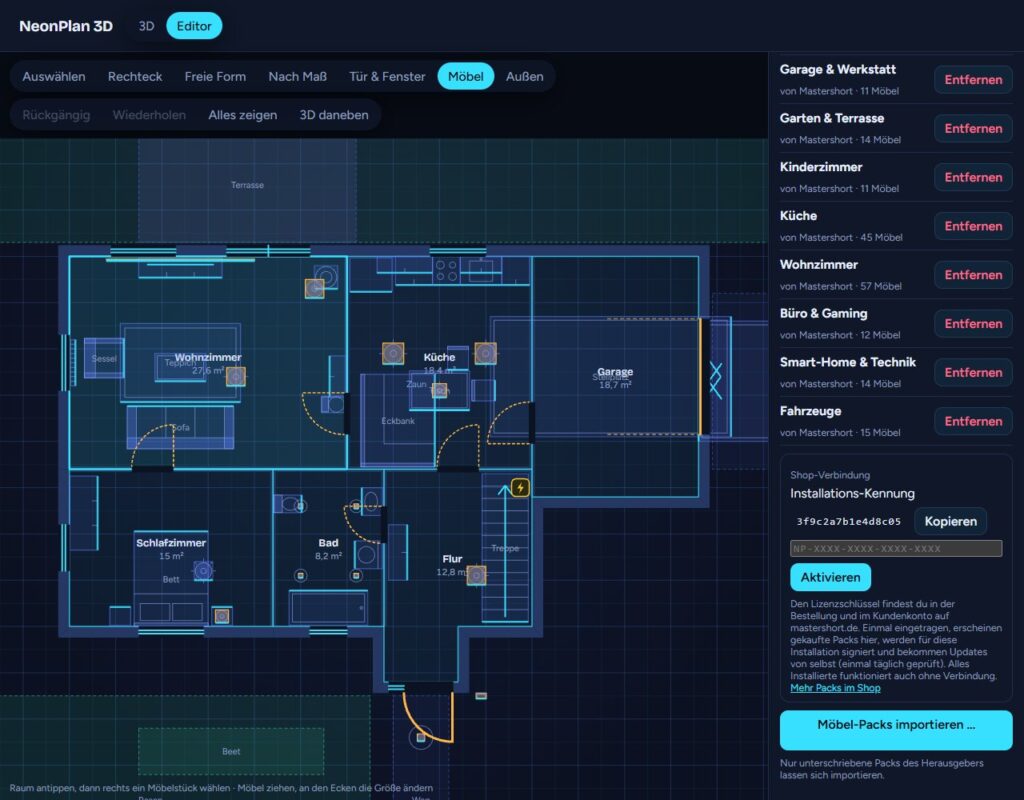
NeonPlan 3D ist eine kostenlose Open-Source-Integration für Home Assistant. Du zeichnest deinen Grundriss direkt im Browser und siehst dein Haus als 3D-Modell, das live zeigt, was zu Hause passiert. Lichter, Rollläden und Szenen bedienst du direkt im Modell.NeonPlan 3D is a free, open-source integration for Home Assistant. You draw your floor plan right in the browser and get a 3D model of your home that shows live what is happening. You control lights, blinds and scenes directly in the model.
Neu in NeonPlan 3D 1.3.0
Neu
- Grundriss sperren und Möbel fixieren: 🔒 Grundriss in der Werkzeugleiste sperrt Räume, Wände, Türen, Fenster und Außenflächen, damit nichts mehr versehentlich verrutscht. Möbel und Geräte fixierst du einzeln: Schloss im Formular, Taste L oder Rechtsklick (Tablet: langes Drücken). Das neue Rechtsklick-Menü kann außerdem duplizieren, drehen und löschen.
- Mehr Sensoren im Plan: Neben Temperatur, Luftfeuchte, CO₂ und Leistung lassen sich jetzt auch Gas- und Wasserzähler, Energie, Helligkeit, Luftdruck und Luftqualität (Feinstaub, VOC, CO) platzieren. Zähler ohne Geräteklasse zählen mit, wenn ihre Einheit passt (m³, l, kWh, lx), etwa von AI-on-the-edge. Werte erscheinen mit den Nachkommastellen aus Home Assistant. Danke an @Lice2 (#7).
- Fernseher an der Steckdose: Ein Fernseher lässt sich jetzt auch mit dem Schalter einer smarten Steckdose verknüpfen statt mit einem Media-Player. Der Bildschirm leuchtet, solange die Steckdose an ist, ein Tipp schaltet sie. Danke an @turbospielt (#5).
- Symbol in 3D je Gerät: Im Formular eines Geräts oder elektrischen Möbels wählst du Automatisch, Immer zeigen, Ohne Watt oder Ausblenden. So verschwinden etwa die Watt an Steckdosen, und ein Temperatursensor ist immer zu sehen. Danke an @henninghartwig für die Idee.
- Markieren wenn geschlossen: Türen und Fenster können jetzt leuchten, solange sie geschlossen sind statt offen, etwa die WC- oder Kinderzimmertür. Einstellung Markieren in 3D im Formular der Tür. Danke an @StevenKRT für die Idee.
Behoben & Community anzeigen ▾Weniger anzeigen ▴
Behoben
- Möbel mit Gerät in 3D verschieben: Eine Waschmaschine, ein Fernseher oder eine Leuchte mit verknüpfter Entität ließ sich in der 3D-Ansicht nicht ziehen, wenn man das Möbel oder sein Symbol packte. Jetzt verschieben sich diese Möbel in 3D wie alle anderen.
Nach dem Update Home Assistant neu starten und die Seite neu laden.
Was NeonPlan 3D kannWhat NeonPlan 3D does
ZeichnenDraw
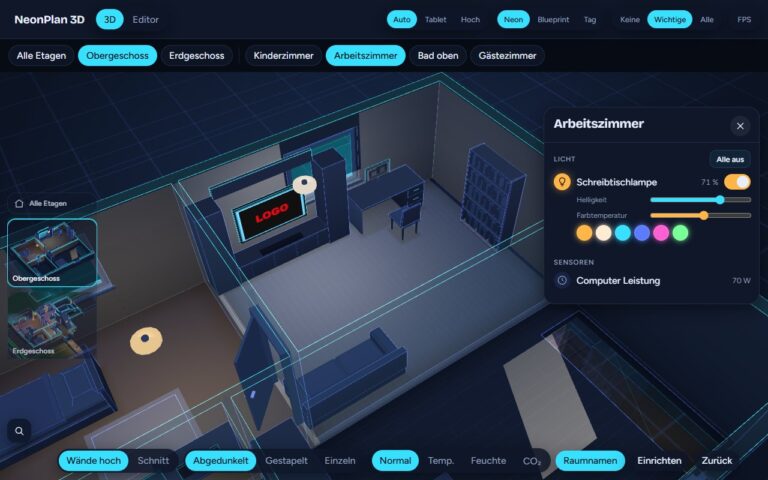
Räume, Wände, Türen, Fenster und mehrere Etagen, dazu Garten, Terrasse, Einfahrt und Dach – direkt im Browser.Rooms, walls, doors, windows and multiple floors, plus garden, patio, driveway and roof – right in the browser.
Live-3DLive 3D
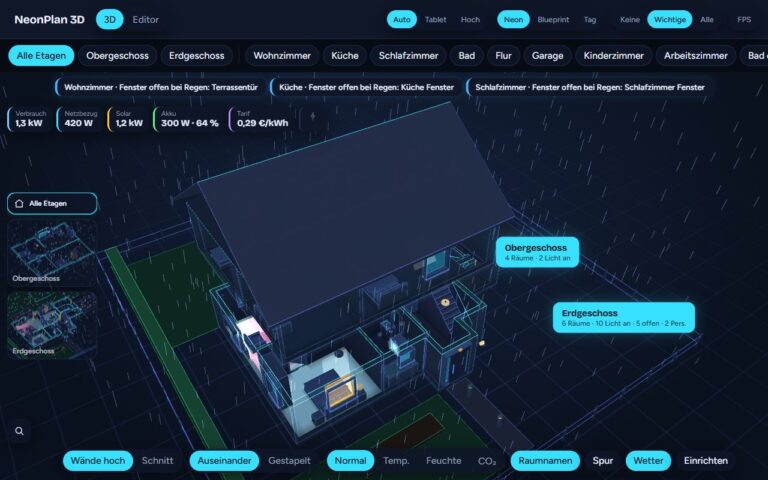
Lichter in Farbe und Helligkeit, Rollläden, offene oder gekippte Fenster, Klima-Heatmap, Stromfluss von PV, Akku und Netz, Personen, Saugroboter, Warnungen und Fahrzeuge auf Stellplätzen.Lights in colour and brightness, blinds, open or tilted windows, climate heatmap, power flow from PV, battery and grid, people, robot vacuum, alerts and vehicles on parking spaces.
BedienenControl
Licht antippen, Raum-Details mit Lichtern, Rollläden und Kameras öffnen, Doppeltipp auf einen Raum schaltet alle Lichter, dazu Szenen-Knöpfe.Tap a light, open room details with lights, blinds and cameras, double-tap a room to switch all its lights, plus scene buttons.
WandtabletWall tablet
Dashboard-Karte mit visuellem Editor ohne YAML. Kiosk-Funktionen: Rückkehr zur Startansicht, Nachtdimmung, Kamerafahrt. Läuft flüssig auf Amazon-Fire-Tablets.Dashboard card with a visual editor, no YAML. Kiosk features: return to the start view, night dimming, camera tour. Runs smoothly on Amazon Fire tablets.
Möbel-PacksFurniture packs
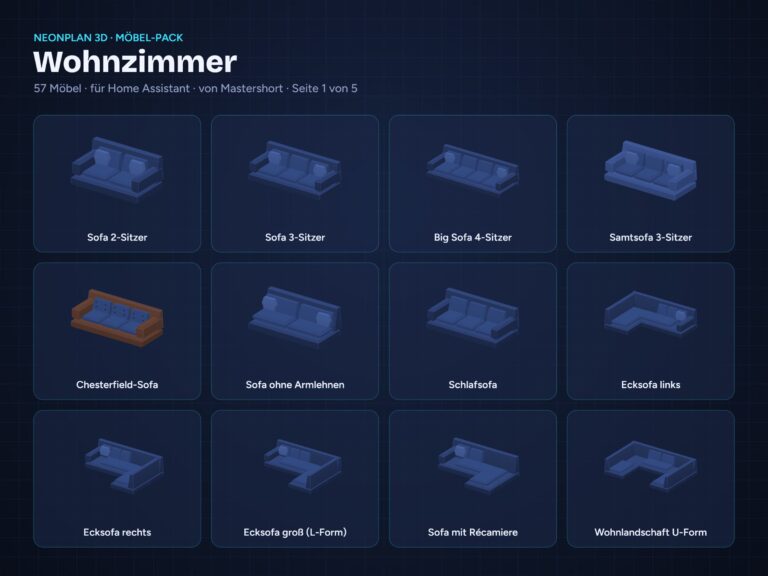
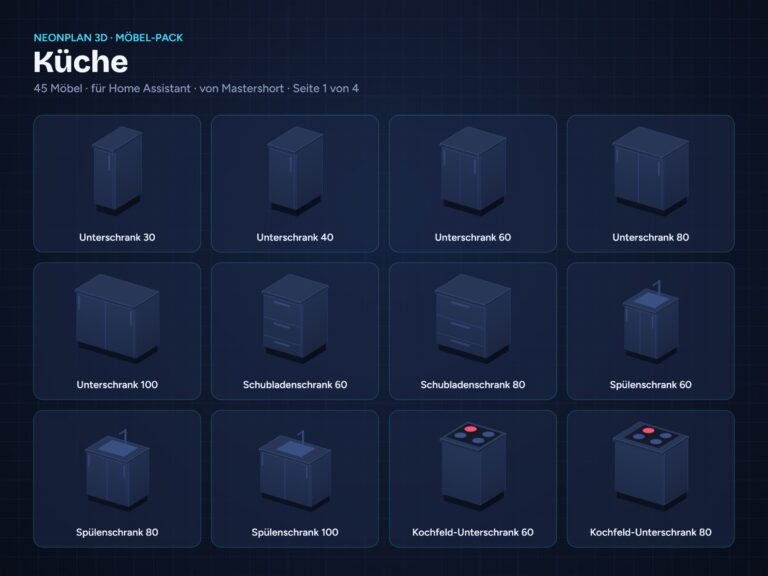
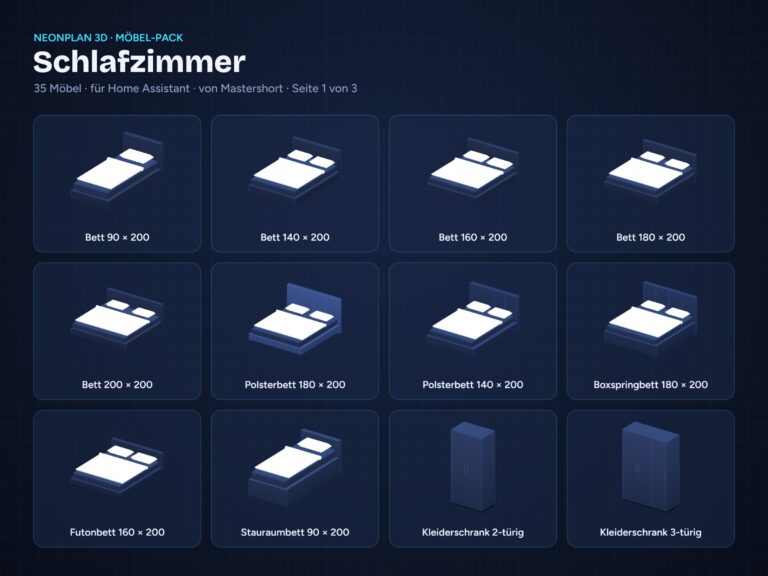
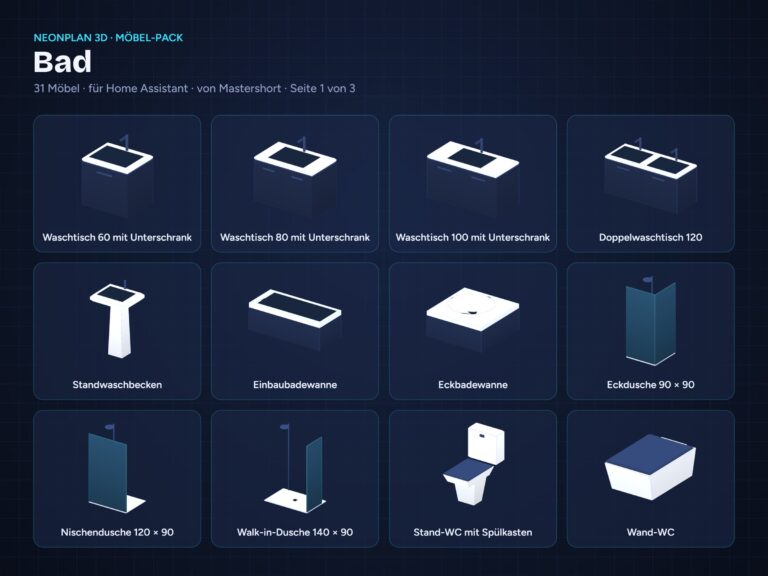
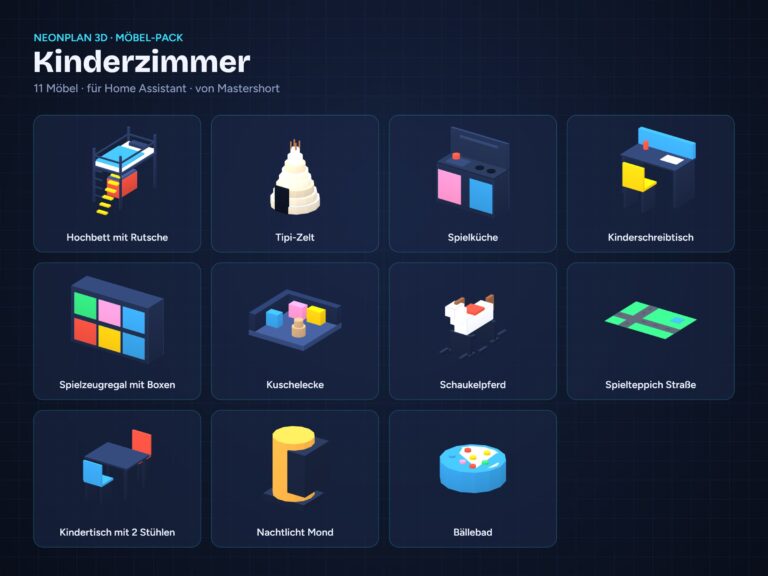
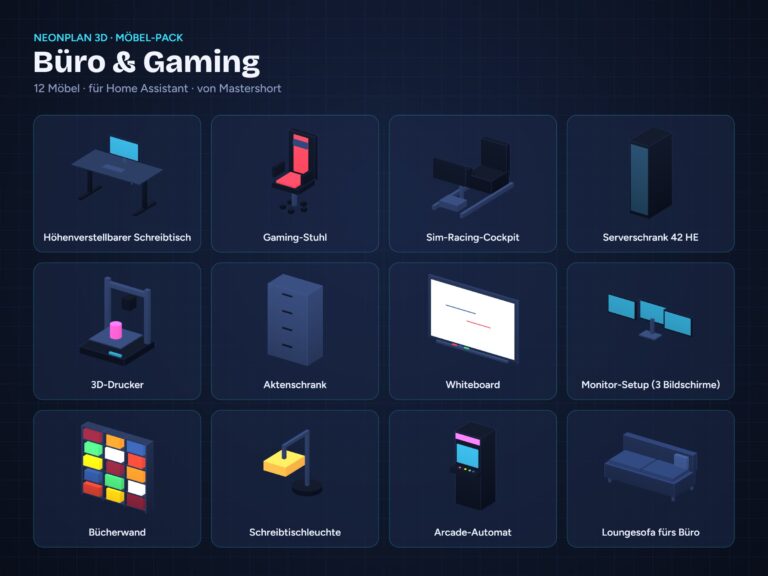
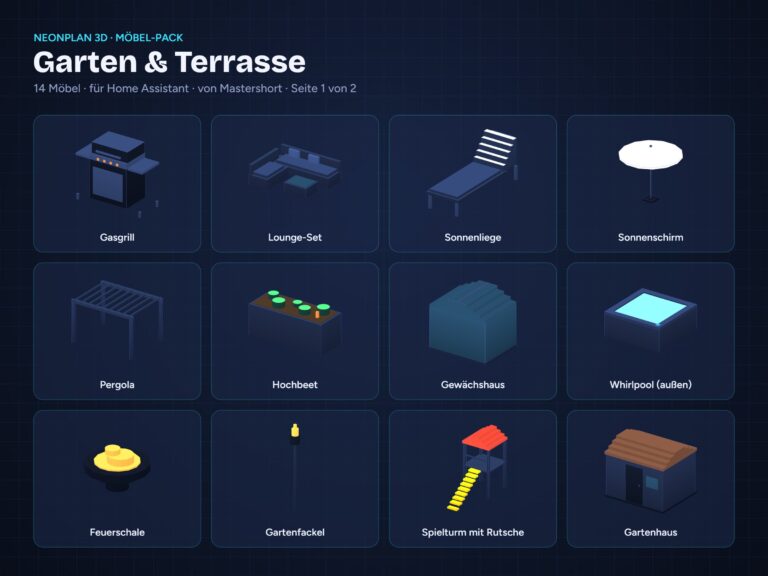
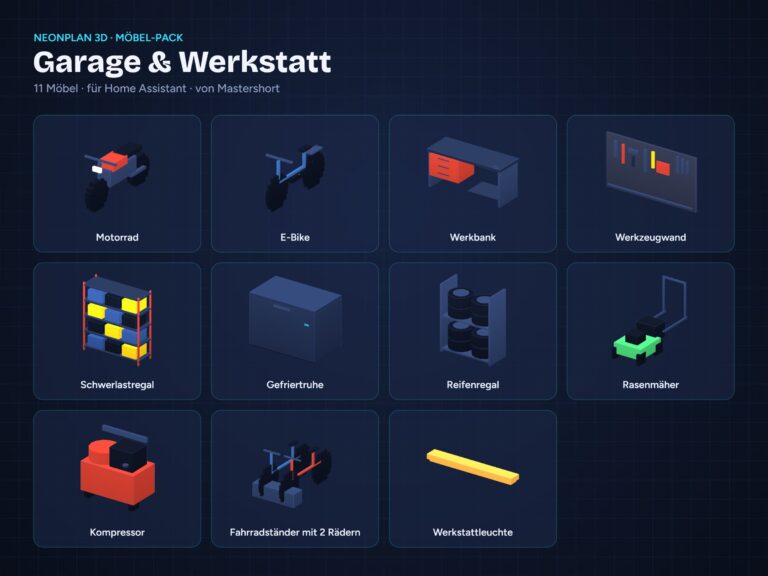
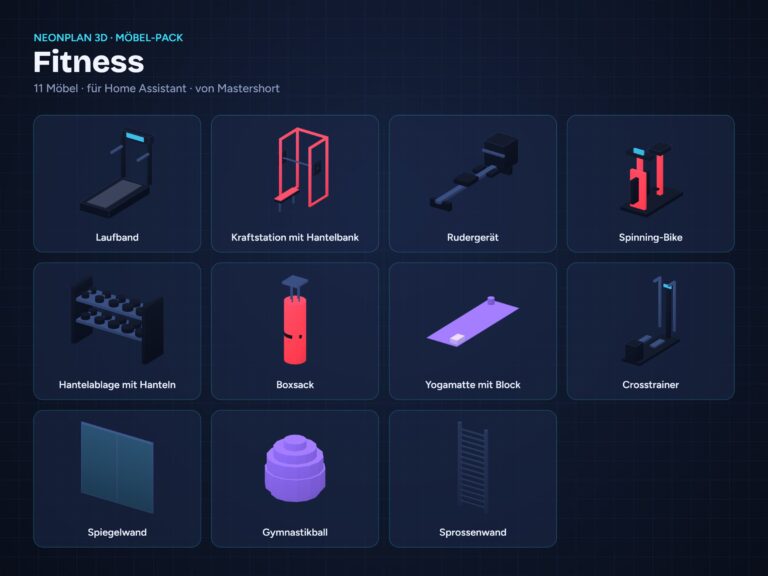
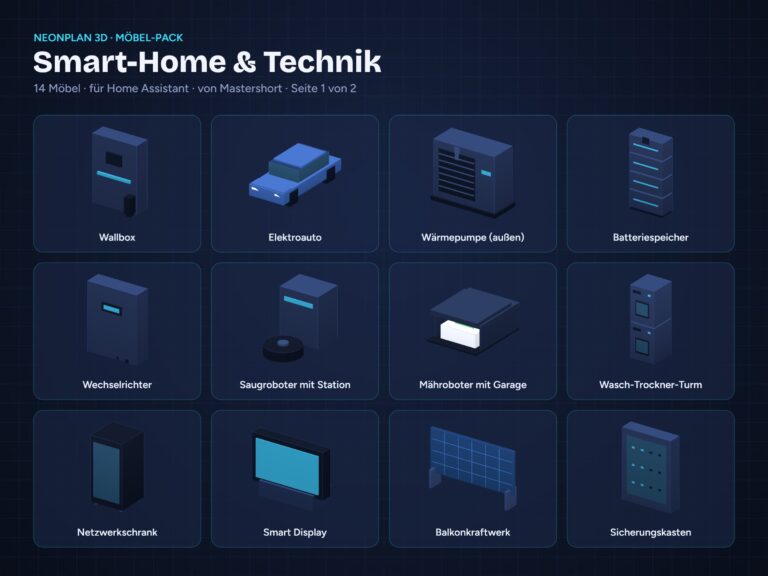
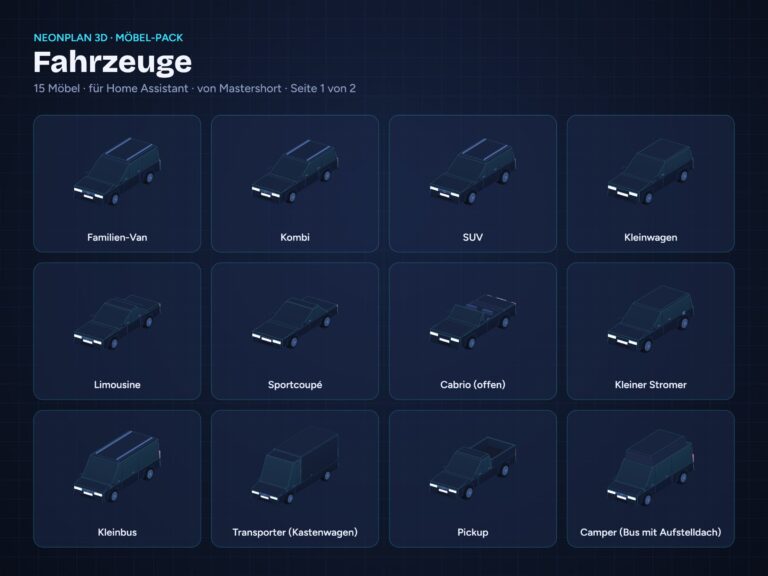
40 Möbel und ein Starter-Pack sind kostenlos dabei. Weitere Packs im gleichen Neon-Look gibt es hier im Shop, Import in unter einer Minute.40 built-in items and a starter pack are included for free. More packs in the same neon look are available here in the shop, imported in under a minute.
LokalLocal
Läuft komplett lokal in Home Assistant. Keine Cloud, keine Konten.Runs entirely locally in Home Assistant. No cloud, no accounts.
Kostenlos installierenInstall for free
- HACS: NeonPlan 3D über HACS herunterladen (Link unten) und Home Assistant neu starten.HACS: download NeonPlan 3D via HACS (link below) and restart Home Assistant.
- Integration hinzufügen: Einstellungen → Geräte & Dienste → „Integration hinzufügen“ → „NeonPlan 3D“.Add the integration: Settings → Devices & services → “Add integration” → “NeonPlan 3D”.
- Loslegen: NeonPlan 3D erscheint in der Seitenleiste. Grundriss zeichnen, Geräte zuordnen, fertig.Get started: NeonPlan 3D appears in the sidebar. Draw your floor plan, assign devices, done.
Voraussetzung: Home Assistant ab 2025.1 und HACS.Requirements: Home Assistant 2025.1 or later and HACS.
Möbel-PacksFurniture packs
Einmalkauf, kein Abo. Für bis zu drei deiner Home-Assistant-Installationen, Updates kommen über die Shop-Verbindung.One-time purchase, no subscription. For up to three of your Home Assistant installations, updates come through the shop connection.
Pro-ErweiterungenPro add-ons
Keine Möbel, sondern zusätzliche Funktionen für NeonPlan 3D. Einzeln erhältlich, nicht im Komplett-Bundle. Ab NeonPlan 3D 0.38.Not furniture but extra features for NeonPlan 3D. Sold separately, not part of the Complete Bundle. Requires NeonPlan 3D 0.38 or later.
Kein Mehrwertsteuerausweis, da Kleinunternehmer nach §19 (1) UStG.No VAT is charged (small business according to §19 (1) UStG, Germany).
Shop-VerbindungShop connection
Lizenzschlüssel: Mit dem ersten Pack-Kauf bekommst du einen Schlüssel (steht in der Bestell-Mail und im Kundenkonto). In NeonPlan 3D (ab Version 0.38) unter Erweiterungen › Shop-Verbindung eintragen – gekaufte Packs erscheinen dann dort, werden für deine Installation signiert und bekommen Updates von selbst. Alles Installierte funktioniert auch ohne Verbindung zum Shop.License key: With your first pack purchase you get a key (in the order e-mail and in your customer account). Enter it in NeonPlan 3D (version 0.38 or later) under Extensions › Shop connection – your purchased packs then appear there, are signed for your installation and receive updates by themselves. Everything installed keeps working without a connection to the shop.
FAQ
Was brauche ich?What do I need?
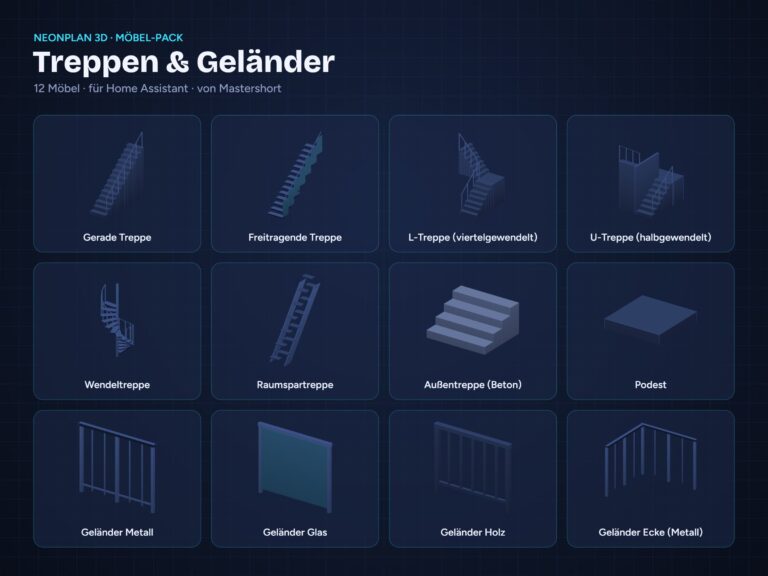
Home Assistant ab 2025.1 und HACS. NeonPlan 3D selbst ist kostenlos. Für die Möbel-Packs brauchst du NeonPlan 3D ab Version 0.20, für Treppen & Geländer, die Pro-Erweiterungen und die Shop-Verbindung ab Version 0.38.Home Assistant 2025.1 or later and HACS. NeonPlan 3D itself is free. Furniture packs require NeonPlan 3D version 0.20 or later; Stairs & Railings, the Pro add-ons and the shop connection need version 0.38 or later.
Wie bekomme ich gekaufte Packs in NeonPlan 3D?How do I get purchased packs into NeonPlan 3D?
Mit dem ersten Pack-Kauf bekommst du einen Lizenzschlüssel (steht in der Bestell-Mail und im Kundenkonto). In NeonPlan 3D (ab Version 0.38) unter Erweiterungen › Shop-Verbindung eintragen – gekaufte Packs erscheinen dann dort, werden für deine Installation signiert und bekommen Updates von selbst. Alles Installierte funktioniert auch ohne Verbindung zum Shop. Alternativ lädst du die Datei .fp3dpack im Kundenkonto herunter und importierst sie über Editor → Möbel → „Möbel-Pack importieren …“.With your first pack purchase you get a license key (in the order e-mail and in your customer account). Enter it in NeonPlan 3D (version 0.38 or later) under Extensions › Shop connection – your purchased packs then appear there, are signed for your installation and receive updates by themselves. Everything installed keeps working without a connection to the shop. Alternatively, download the .fp3dpack file in your customer account and import it via Editor → Furniture → “Import furniture pack …”.
Warum brauche ich ein Kundenkonto?Why do I need a customer account?
Packs und Erweiterungen hängen an deinem Kundenkonto: Dort findest du jederzeit deinen Lizenzschlüssel, deine Downloads und künftige Updates. Beim ersten Kauf wird das Konto automatisch angelegt, die Zugangsdaten bekommst du per Mail.Packs and add-ons are tied to your customer account: that is where you find your license key, your downloads and future updates at any time. The account is created automatically with your first purchase; you receive the access details by e-mail.
Auf wie vielen Installationen kann ich ein Pack nutzen?On how many installations can I use a pack?
Ein Schlüssel lässt sich mit bis zu drei Installationen gleichzeitig verbinden (bis zu fünf neue Verbindungen im Jahr). Ziehst du auf neue Hardware um, verbindest du einfach die neue Installation; die älteste wird dann automatisch getrennt. Die Datei trägt deinen Namen, der beim Import angezeigt wird. Kein Abo, Updates sind kostenlos.One key can be linked to up to three installations at the same time (up to five new links per year). Moving to new hardware? Just connect the new installation; the oldest one is then disconnected automatically. The file carries your name, which is shown on import. No subscription, updates are free.
Was sind Pro-Erweiterungen?What are Pro add-ons?
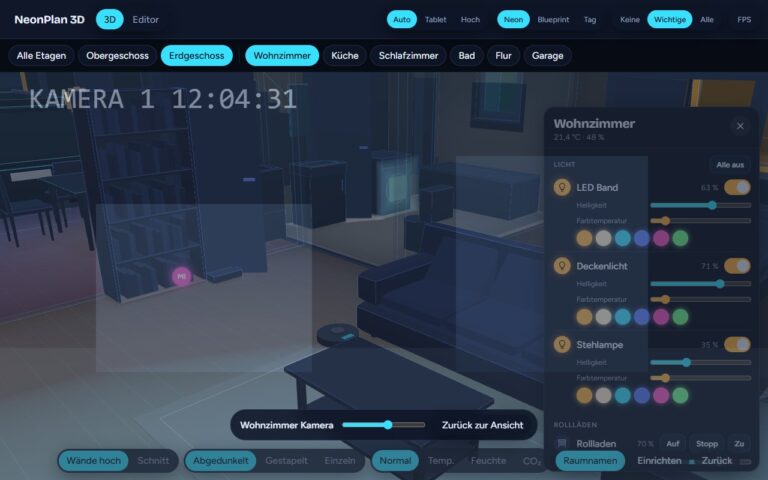
Pro-Erweiterungen sind keine Möbel, sondern schalten Funktionen frei: Kamera-Cockpit, Wetter draußen und Bildschirme live. Sie werden einzeln verkauft und sind nicht im Komplett-Bundle enthalten. Einmal kaufen, für bis zu drei Installationen.Pro add-ons are not furniture; they unlock features: Camera Cockpit, Outdoor Weather and Live Screens. They are sold separately and are not part of the Complete Bundle. Buy once, for up to three installations.
Läuft das flüssig auf einem Tablet?Does it run smoothly on a tablet?
Ja. NeonPlan 3D läuft flüssig auf Amazon-Fire-Tablets und bringt Kiosk-Funktionen für Wandtablets mit.Yes. NeonPlan 3D runs smoothly on Amazon Fire tablets and includes kiosk features for wall tablets.
Was passiert mit meinen Daten?What happens to my data?
NeonPlan 3D läuft komplett lokal in Home Assistant, ohne Cloud und ohne Konten. Nur wenn du die Shop-Verbindung nutzt, fragt NeonPlan 3D mit deinem Lizenzschlüssel und einer Kennung deiner Installation beim Shop nach gekauften Packs und Updates.NeonPlan 3D runs entirely locally in Home Assistant, without cloud or accounts. Only if you use the shop connection does NeonPlan 3D ask the shop for purchased packs and updates, using your license key and an ID of your installation.
Kann ich ein Pack zurückgeben?Can I return a pack?
Für digitale Downloads gelten meine AGB und die Widerrufsbelehrung.Digital downloads are covered by my terms and the cancellation policy (German).
SupportSupport
Fragen oder Probleme? shop@mastershort.deQuestions or problems? shop@mastershort.de