
Beschreibung
Module: The house answers – free with your account
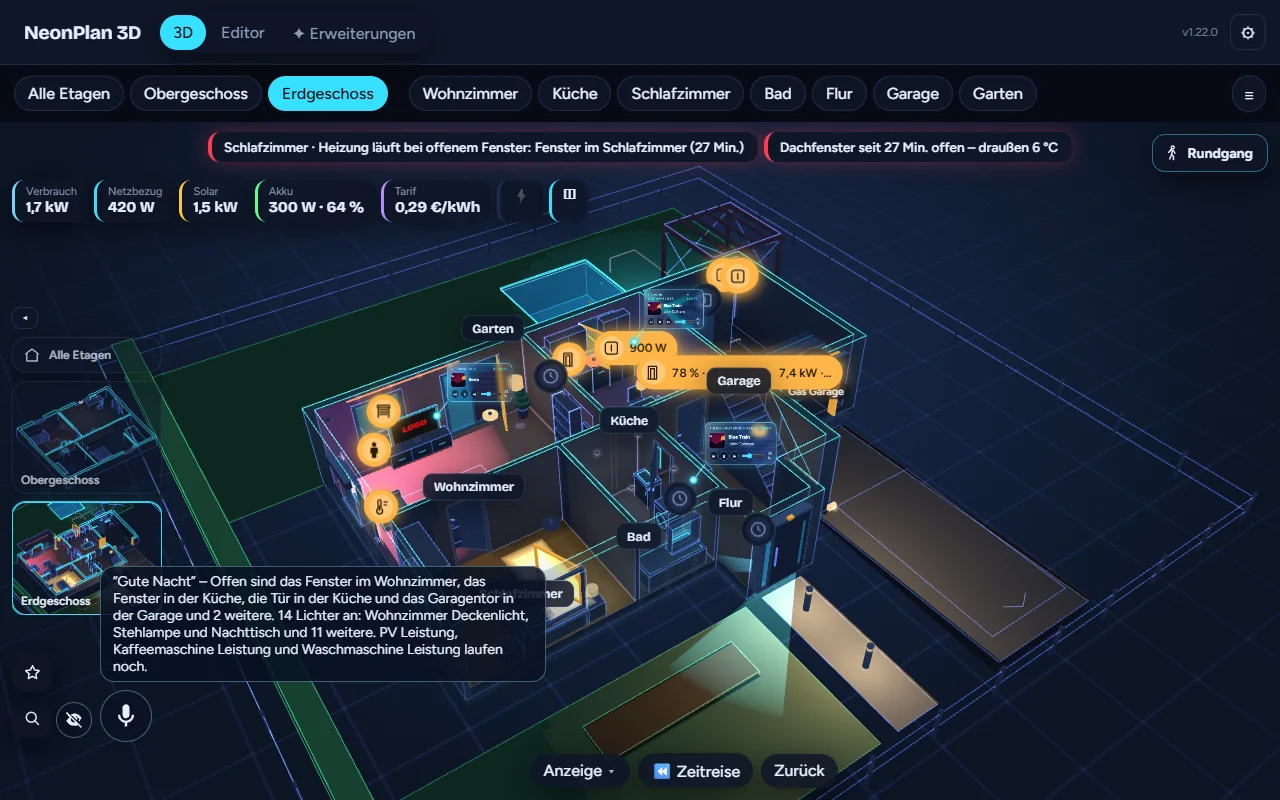
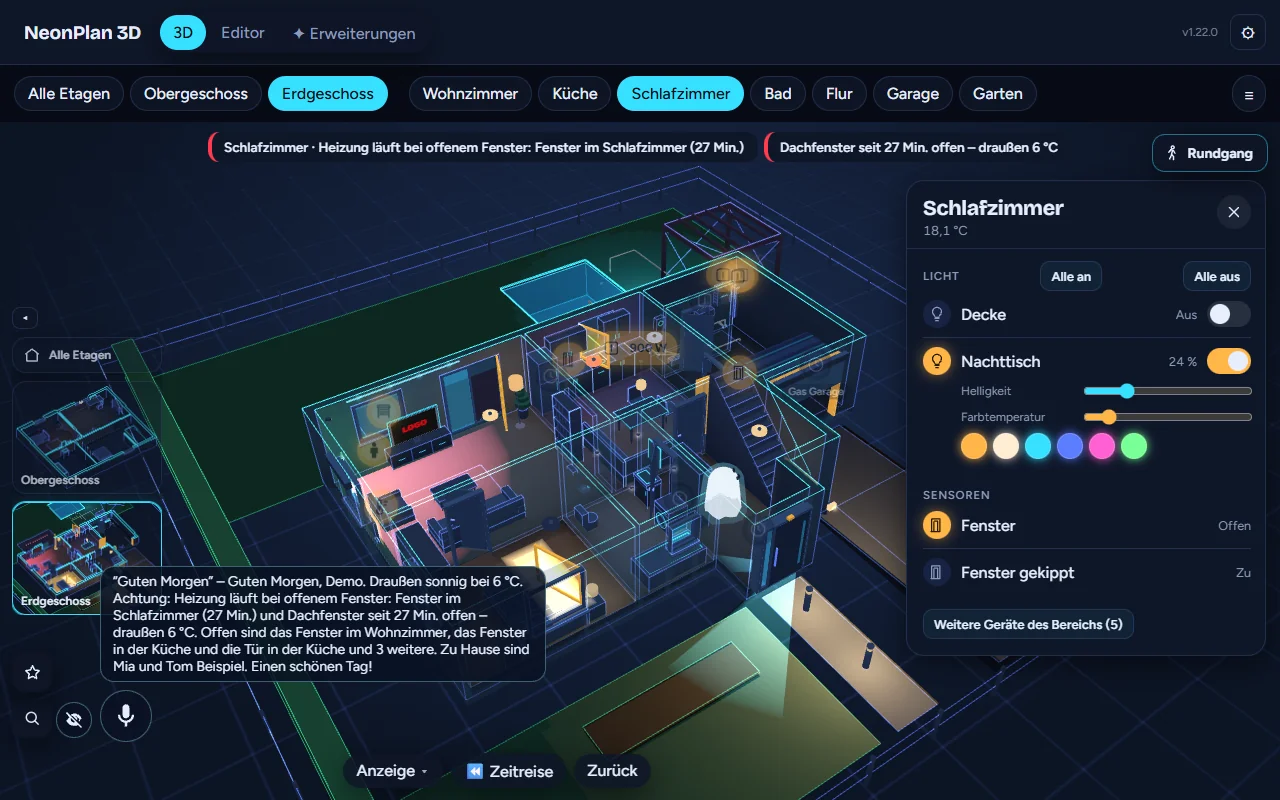
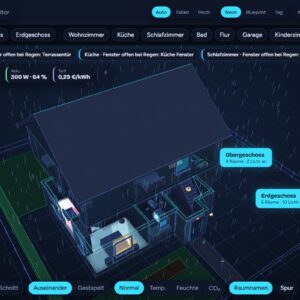
The first module from the shop: a signed pack that brings its own code. NeonPlan loads it, checked and bound to your installation like a furniture pack. Ask out loud – with the microphone button on the tablet or through Assist (voice satellite, Assist dialog, app) – and the house answers. The answer shows in the house, open windows flash, the view flies there. No AI, all local, from your plan and your sensors.
- Open: What is open? Which windows are open? How long has the window been open? – with a fly-past of every open window
- Temperature & air: Where is it cold? How warm is the living room? Should I air the room?
- Heating, devices, media: Is the heating on? Is the washing machine running? What is playing on the TV?
- Energy: What is drawing power? What is the solar system doing? How full is the battery?
- Lights, shutters, locks, people: Which lights are on? Is the front door locked? Who is home?
- Household Pro, Car Pro, weather & time: When is the bin collected? How full is the car? Is it raining? When does the sun set?
- Good morning for the day’s report, good night for the night check with a fly-past – and a few answers to make you smile
German and English. Commands (“Turn on the light”) still go to Assist. To have answers read aloud, your Assist pipeline needs text-to-speech; without it the speech bubble stays. Asked through Assist, the satellite that was asked speaks the answer.
Tested early by supporters – now for everyone. Free with every customer account: with your licence key the module appears in NeonPlan under Extensions (“Install/update all”). No account yet? Create one for free, confirm your e-mail, enter the key in NeonPlan.
Approve once: Then open Extensions → Modules in NeonPlan and tap View code & approve. Every update is approved there once as well.
Requirements
- NeonPlan 3D 1.22.0 or newer (free via HACS)
- A free customer account with licence key
Modul: Das Haus antwortet – gratis mit deinem Kundenkonto
Das erste Modul aus dem Shop: ein signiertes Pack, das eigenen Code mitbringt. NeonPlan lädt es nach, geprüft und an deine Installation gebunden wie ein Möbel-Pack. Frag laut – mit dem Mikrofon-Knopf am Tablet oder über Assist (Voice-Satellit, Assist-Dialog, App) – und das Haus antwortet. Die Antwort erscheint im Haus, offene Fenster blinken, die Ansicht fliegt hin. Ohne KI, alles lokal, aus deinem Plan und deinen Sensoren.
- Offen: Was ist offen? Welche Fenster sind offen? Wie lange ist das Fenster schon offen? – mit Rundflug zu jedem offenen Fenster
- Temperatur & Luft: Wo ist es kalt? Wie warm ist es im Wohnzimmer? Soll ich lüften?
- Heizung, Geräte, Medien: Heizt die Heizung? Läuft die Waschmaschine? Was läuft im Fernseher?
- Energie: Was zieht Strom? Was macht die Solaranlage? Wie voll ist der Akku?
- Licht, Rollläden, Schlösser, Personen: Welche Lichter sind an? Ist die Haustür abgeschlossen? Wer ist zu Hause?
- Haushalt Pro, Auto Pro, Wetter & Zeit: Wann kommt die Mülltonne? Wie voll ist das Auto? Regnet es? Wann geht die Sonne unter?
- Guten Morgen für den Tagesbericht, Gute Nacht für den Nacht-Check mit Rundflug – und ein paar Antworten zum Schmunzeln
Deutsch und Englisch. Befehle („Mach das Licht an“) gehen weiter an Assist. Für das Vorlesen braucht die Assist-Pipeline eine Sprachausgabe (Text-zu-Sprache); ohne sie bleibt die Sprechblase. Über Assist gefragt, spricht der Satellit, der gefragt hat.
Vorab von Supportern getestet – jetzt für alle. Gratis für jedes Kundenkonto: Mit deinem Lizenzschlüssel erscheint das Modul in NeonPlan unter Erweiterungen („Alle installieren/aktualisieren“). Noch kein Konto? Kostenlos anlegen, E-Mail bestätigen, Schlüssel in NeonPlan eintragen.
Einmal freigeben: Danach in NeonPlan unter Erweiterungen → Module auf Code ansehen & freigeben tippen. Auch jedes Update gibst du dort einmal frei.
Voraussetzungen
- NeonPlan 3D 1.22.0 oder neuer (kostenlos über HACS)
- Kostenloses Kundenkonto mit Lizenzschlüssel

Rezensionen
Es gibt noch keine Rezensionen